The leading consulting partner Website Template
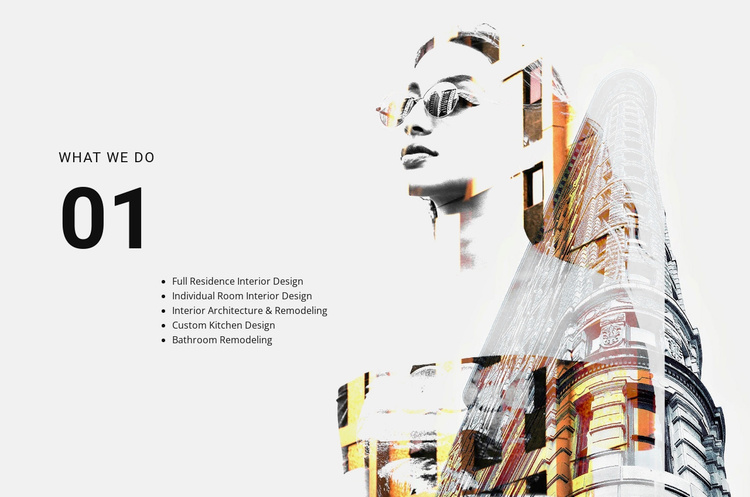
The “what we do” section presents a focused overview of five interior design and remodeling services. A large “01” marker sits above the left-aligned heading and service list, giving the content a clear section identity. The listed categories include full residence interior design, individual room interior design, interior architecture and remodeling, custom kitchen design, and bathroom remodeling. On the right, a large architectural composite image balances the text-led layout with a layered visual treatment. The static structure makes the block suitable for coordinating with other service, portfolio, or contact sections.
ID : 48505   |   Category : Text On Image, Architecture & Building

A five-item service area with a strong visual signature

The block defines one reusable offering area through the heading “what we do” and five specific service categories. The list moves from broader assignments, such as full residence interior design, to focused work including individual rooms, custom kitchens, and bathroom remodeling. Interior architecture and remodeling adds a wider project dimension, so the section can communicate both planning scope and distinct areas of service without becoming a long description.

Its composition also gives the service area a recognizable visual pattern. The “01” marker creates a prominent typographic entry point, while the heading and compact list remain grouped on the left. A large architectural composite image occupies the right side and combines a human portrait with architectural forms in an overlapping, double-exposure treatment. This relationship gives the block more visual presence than a plain list while keeping the service labels available for scanning.

Inside a broader website template project, the section can serve as a stable services pattern that other blocks complement with project examples, credentials, process information, or contact content. The block does not need to carry those additional functions itself. Its value is the focused combination of five service categories, numbered section identity, and architectural imagery, which can be reused wherever a project needs this particular type of service introduction.

Customize with Nicepage

Open this ready-made template in the Website Template Builder and customize it visually in the Nicepage editor. Replace demo content, edit page sections, and adapt the design to your project without rebuilding the template from scratch.

Edit Template Offline

1. Download and Install the Nicepage application for Windows and Mac. Or WordPress and Joomla plugins from the download page
2. Create a new page or select existing
3. Click Add new block, search for id 48505 and click enter

Edit Template Online

Run Online Builder to edit this template on our hosting

Create Awesome Websites

WordPress Plugin WordPress
Windows Application Windows App
Joomla Plugin Joomla
Mac OS Application Mac OS App
HTML5 HTML5
Online Builder Online

Free Nicepage Builder

15,000+ Templates
Easy Drag-n-Drop
No Coding
Mobile-Friendly

Keywords


Build a Complete Website From This Template

Customize the Website Visually

Use this ready-made website template as a starting point for your project and adapt its pages visually in Nicepage. Change content, images, typography, navigation, sections, and other design elements while keeping the website together as a single editable project.

Manage Website Pages in One Project

Use the Pages panel to open, add, duplicate, and manage the pages of your website. Work on individual pages while keeping navigation and the overall site structure accessible from the same project, making it easier to develop a complete website instead of managing separate page files.

Expand the Website With Matching Designs

When you need additional pages or sections, use Page Design Sets to find Page and Block Designs created in the same visual style. Design Sets group matching designs together, making it easier to expand the website with new content while maintaining a consistent look across its pages and sections.

Organize Larger Multi-Page Websites

As the website grows, use Page Folders to organize related pages and keep larger multi-page projects easier to navigate in the editor. This is especially useful for websites with separate service pages, company information, contacts, landing pages, and other content areas.

This workflow makes the template a practical foundation for building and expanding a complete website while managing its pages, content, and visual design within one Nicepage project.

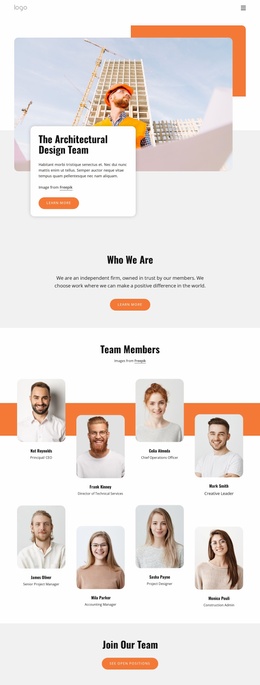
Multiple website pages in the Nicepage editor

More from Architecture & Building Website Templates