Fresh-baked bread Website Template



Edit Template Offline
2. Create new page and search for id 3379730
Edit Template Online
Create Awesome Websites


Free Nicepage Builder
Keywords
Bread, Sweets, and Service Areas Establish a Bakery Site Foundation
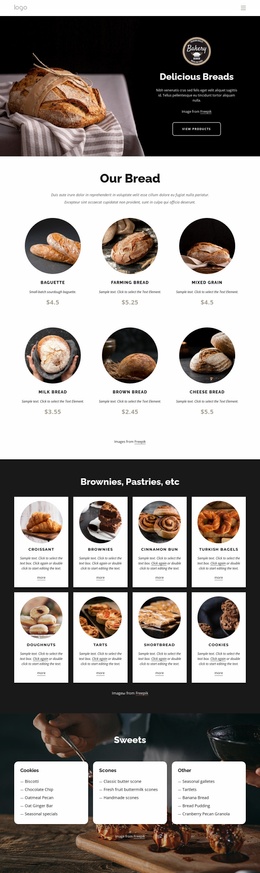
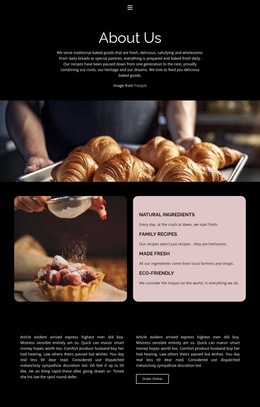
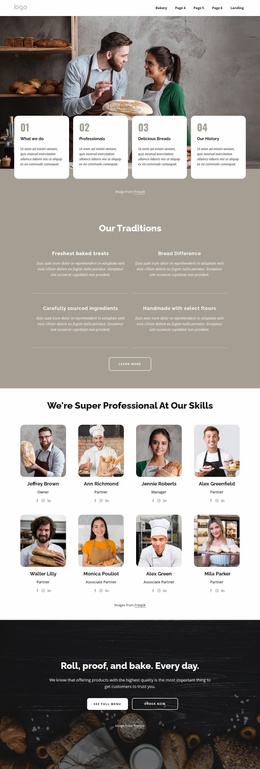
The design already defines several major content categories that a broader bakery project could build around. The Our Breads section supplies a repeated product structure with eight cards, while the Sweets Menu separates cookies, scones, and other items into a smaller category group. These areas can serve as reference points for additional product or category pages without claiming that those pages are already included in the template.
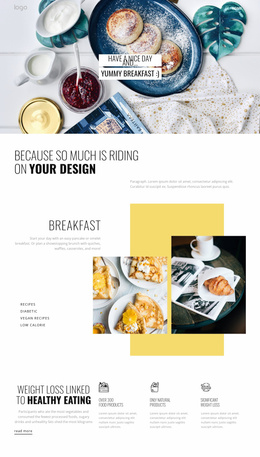
The six-item Delicious Baking feature group adds a service layer to the product content. Baked Fresh Daily, Delivery To Your Door, Institutions, Great Value, and No Order Too Large describe different reasons customers may engage with the bakery. Together with the quality collage and breakfast promotion, they provide content directions for expanding information beyond a single catalog: production, delivery, institutional ordering, and menu-focused communication each have an established visual context.
The hero and closing contact panel create shared site-level anchors. The hero introduces the bakery and displays practical details, while Contact Us gathers opening hours, phone, email, and address information in one recognizable region. This gives a wider website a starting information architecture based on products, services, promotions, and contact rather than only a styled homepage. Nicepage's Page Basics documentation supports managing pages in a project, but the template itself is verified here as one coherent page foundation.
Customize with Nicepage
Open this ready-made template in the Website Template Builder and customize it visually in the Nicepage editor. Replace demo content, edit page sections, and adapt the design to your project without rebuilding the template from scratch.
Build a Complete Website From This Template
Customize the Website Visually
Use this ready-made website template as a starting point for your project and adapt its pages visually in Nicepage. Change content, images, typography, navigation, sections, and other design elements while keeping the website together as a single editable project.
Manage Website Pages in One Project
Use the Pages panel to open, add, duplicate, and manage the pages of your website. Work on individual pages while keeping navigation and the overall site structure accessible from the same project, making it easier to develop a complete website instead of managing separate page files.
Expand the Website With Matching Designs
When you need additional pages or sections, use Page Design Sets to find Page and Block Designs created in the same visual style. Design Sets group matching designs together, making it easier to expand the website with new content while maintaining a consistent look across its pages and sections.
Organize Larger Multi-Page Websites
As the website grows, use Page Folders to organize related pages and keep larger multi-page projects easier to navigate in the editor. This is especially useful for websites with separate service pages, company information, contacts, landing pages, and other content areas.
This workflow makes the template a practical foundation for building and expanding a complete website while managing its pages, content, and visual design within one Nicepage project.