Website designs our company just launched Website Template


A split hero pattern for a broader product-design website
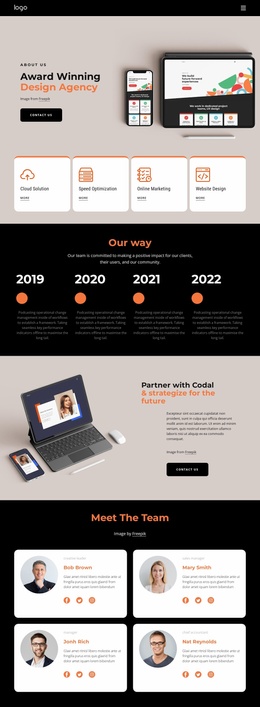
The left text column gives the block a stable website content role: it introduces web and mobile product work through one strong heading, a supporting paragraph, and a “CONTACT US” button. Within a broader website project, this section can establish the opening message for a product-design presentation while other blocks provide case studies, process details, services, or contact information. The block contributes one focused area rather than defining the entire site.
The overlapping smartphone mockups on the right make the subject visible before the supporting copy is read. Their position beside the text creates a repeatable split pattern that can be used when a website needs an introduction with both an explicit offering and a tangible visual reference. The image credit line remains part of that arrangement, keeping the presentation detail attached to the product imagery.
The warm light-beige background, black text, orange accent treatment, and rounded black button also give the section recognizable visual cues that can be coordinated with related blocks in the same project. Because the interaction is static, the emphasis stays on message, image contrast, and the transition to the next content area. The button can lead into a separate contact or inquiry section, while the hero remains a reusable introduction within a larger website template structure.
Customize with Nicepage
Open this ready-made template in the Website Template Builder and customize it visually in the Nicepage editor. Replace demo content, edit page sections, and adapt the design to your project without rebuilding the template from scratch.
Edit Template Offline
2. Create a new page or select existing
3. Click Add new block, search for id 2879510 and click enter
Edit Template Online
Create Awesome Websites


Free Nicepage Builder
Keywords
Use This Block in a Broader Website Template Project
Treat the Block as One Reusable Site Section
A website project is assembled from multiple pages and sections. The analyzed block provides one reusable content area—such as services, About, testimonials, pricing, gallery, team, or contact—while the rest of the site supplies other page-level functions.
Coordinate the Section With Other Pages
Use the Pages panel to manage the pages of the broader project. The block can remain one consistent section pattern while related pages add deeper information or different content without implying that the Block ID itself contains those pages.
Expand With Matching Designs
When additional pages or sections are needed, Page Design Sets can help locate matching Page and Block Designs. This can extend the visual direction around the existing block while keeping the site's other content areas separate.
This workflow treats the block as a reusable building unit inside a larger Website Template project, not as a complete website foundation on its own.