Asked questions Website Template


A Reusable FAQ Region for Practical Site Information
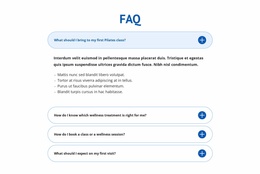
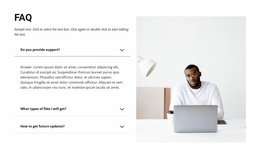
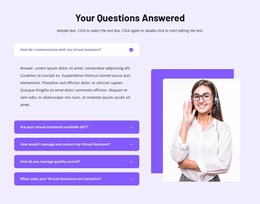
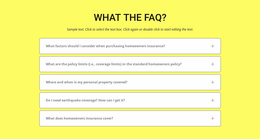
The block already defines a complete content area for one recurring website need: answering common questions in a compact, expandable format. The centered heading introduces the subject, the blue divider marks the beginning of the information set, and four question rows provide distinct entry points. Their topics include additional time after a free trial, connecting a domain name, design or coding skills, and whether the subject resembles a reminders app. The section can therefore carry practical clarification while other blocks handle introductions, services, proof, or contact content.
Its reusable quality comes from the separation between the question list and the answer state. The preview shows the first answer expanded and the remaining three items collapsed, allowing the same visual pattern to support different surrounding page contexts without turning every response into a long text column. The dark charcoal field, white heading, muted inactive rows, and blue active panel also provide styling cues that can coordinate with related sections in a larger project.
As a Website Template interpretation, this is one stable FAQ section within a broader collection of pages and blocks. It contributes a defined information role and repeatable layout pattern, while the surrounding project supplies navigation, page structure, and other content areas.
Customize with Nicepage
Open this ready-made template in the Website Template Builder and customize it visually in the Nicepage editor. Replace demo content, edit page sections, and adapt the design to your project without rebuilding the template from scratch.
Edit Template Offline
2. Create a new page or select existing
3. Click Add new block, search for id 265764 and click enter
Edit Template Online
Create Awesome Websites


Free Nicepage Builder
Keywords
Use This Block in a Broader Website Template Project
Treat the Block as One Reusable Site Section
A website project is assembled from multiple pages and sections. The analyzed block provides one reusable content area—such as services, About, testimonials, pricing, gallery, team, or contact—while the rest of the site supplies other page-level functions.
Coordinate the Section With Other Pages
Use the Pages panel to manage the pages of the broader project. The block can remain one consistent section pattern while related pages add deeper information or different content without implying that the Block ID itself contains those pages.
Expand With Matching Designs
When additional pages or sections are needed, Page Design Sets can help locate matching Page and Block Designs. This can extend the visual direction around the existing block while keeping the site's other content areas separate.
This workflow treats the block as a reusable building unit inside a larger Website Template project, not as a complete website foundation on its own.