Plant Shop Website Template


Edit Template Offline
2. Create new page and search for id 23200
Edit Template Online
Create Awesome Websites


Free Nicepage Builder
Keywords
Plant Categories and Knowledge Areas Create a Foundation for Expansion
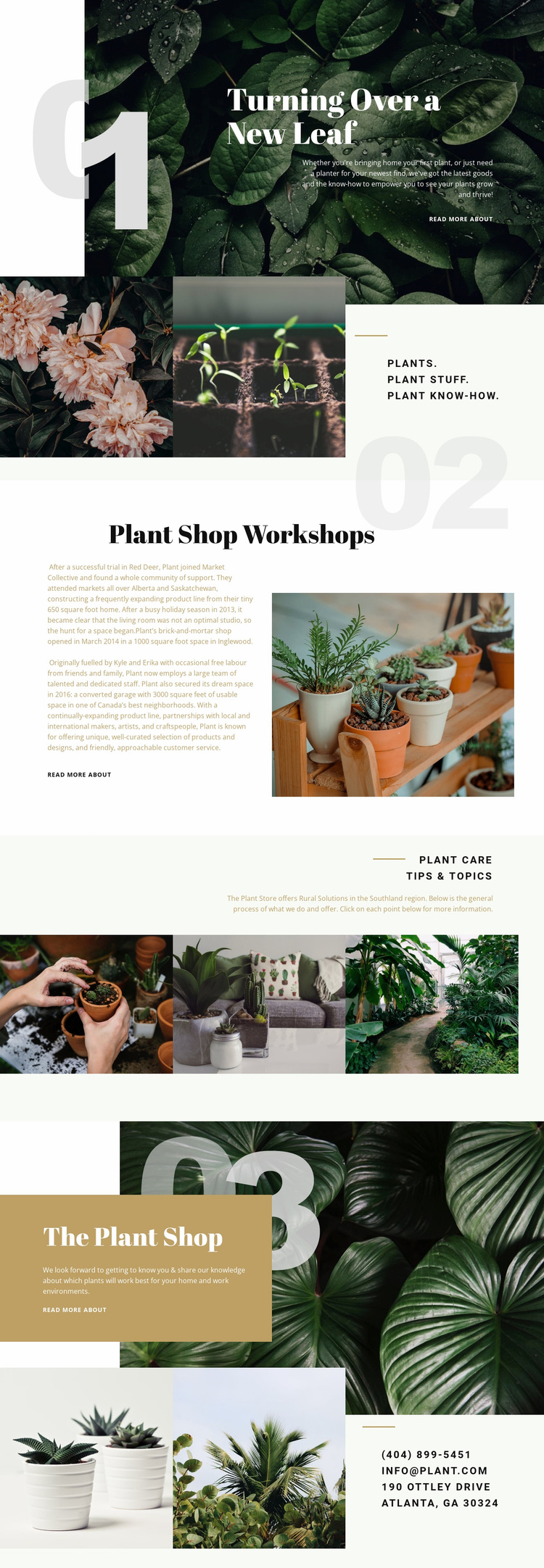
The design already identifies several content areas that a wider plant-business website could build around. The hero provides a broad introduction, while the “Plants. Plant Stuff. Plant Know-How.” section separates the subject into product-related and knowledge-oriented categories. Those categories can guide additional pages or content areas without claiming that such pages are already included in this template.
The workshop section adds a distinct offering that could support a dedicated workshop page, schedule information, or registration content later. Plant care tips and topics provide another expansion path for articles, guides, or educational resources. Because the two sections use different arrangements—a split text-and-image introduction for workshops and a three-image topic collage for care—the existing design offers more than one visual pattern for related content. The Plant Shop section remains the central retail foundation, while the closing contacts section provides a stable location for inquiries and business details.
The consistent botanical photography, deep green and cream palette, serif headings, and repeated read-more links can help additional pages remain connected to the original direction. Nicepage’s Pages panel is relevant when a project grows into multiple pages, but the verified fact is more limited: this specific analysis confirms one page with several expandable content areas, not a complete multi-page site.
Customize with Nicepage
Open this ready-made template in the Website Template Builder and customize it visually in the Nicepage editor. Replace demo content, edit page sections, and adapt the design to your project without rebuilding the template from scratch.
Build a Complete Website From This Template
Customize the Website Visually
Use this ready-made website template as a starting point for your project and adapt its pages visually in Nicepage. Change content, images, typography, navigation, sections, and other design elements while keeping the website together as a single editable project.
Manage Website Pages in One Project
Use the Pages panel to open, add, duplicate, and manage the pages of your website. Work on individual pages while keeping navigation and the overall site structure accessible from the same project, making it easier to develop a complete website instead of managing separate page files.
Expand the Website With Matching Designs
When you need additional pages or sections, use Page Design Sets to find Page and Block Designs created in the same visual style. Design Sets group matching designs together, making it easier to expand the website with new content while maintaining a consistent look across its pages and sections.
Organize Larger Multi-Page Websites
As the website grows, use Page Folders to organize related pages and keep larger multi-page projects easier to navigate in the editor. This is especially useful for websites with separate service pages, company information, contacts, landing pages, and other content areas.
This workflow makes the template a practical foundation for building and expanding a complete website while managing its pages, content, and visual design within one Nicepage project.