Stylish vases in the interior Website Template


A Focused Interior Theme Section for a Broader Website Project
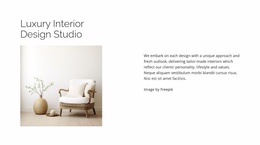
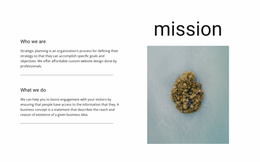
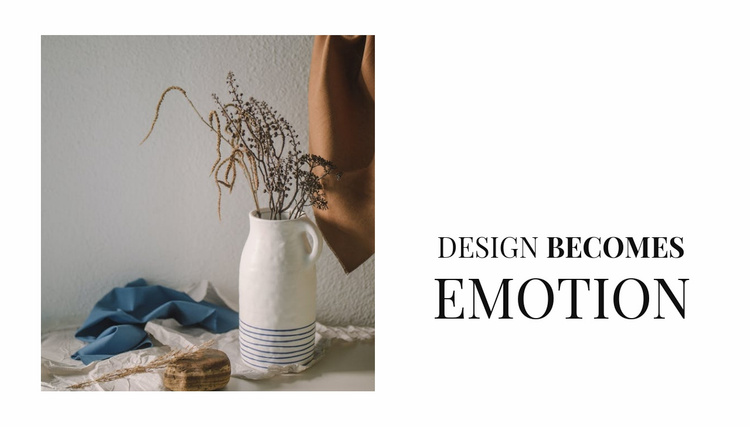
The block defines one recognizable content area for an interior-focused website project: a large still-life image introduces the visual subject, and the heading “Design becomes EMOTION” gives that image a concise thematic interpretation. The left-image and right-text arrangement is stable enough to reuse as an introductory section while other blocks handle deeper descriptions, portfolios, services, or contact information. Its purpose is specific, so it can coordinate with related sections without carrying the responsibilities of the entire project.
The design also provides a visual cue that can be echoed elsewhere. Warm neutral tones in the photograph are set against a white background, while black serif typography creates a restrained editorial contrast. The larger final word gives the heading a distinctive emphasis that could help this section stand apart from more text-heavy areas nearby. Generous whitespace preserves separation between the visual and verbal halves, making the block easy to recognize when it appears within a longer page flow. In a broader website template project, this section can establish an opening mood or thematic transition before visitors reach practical information. Its reusable value comes from the combination of one strong image, one clearly bounded message, and a repeatable split composition, not from implying that the block contains other pages or site-wide structure.
Customize with Nicepage
Open this ready-made template in the Website Template Builder and customize it visually in the Nicepage editor. Replace demo content, edit page sections, and adapt the design to your project without rebuilding the template from scratch.
Edit Template Offline
2. Create a new page or select existing
3. Click Add new block, search for id 195543 and click enter
Edit Template Online
Create Awesome Websites


Free Nicepage Builder
Keywords
Build a Complete Website From This Template
Customize the Website Visually
Use this ready-made website template as a starting point for your project and adapt its pages visually in Nicepage. Change content, images, typography, navigation, sections, and other design elements while keeping the website together as a single editable project.
Manage Website Pages in One Project
Use the Pages panel to open, add, duplicate, and manage the pages of your website. Work on individual pages while keeping navigation and the overall site structure accessible from the same project, making it easier to develop a complete website instead of managing separate page files.
Expand the Website With Matching Designs
When you need additional pages or sections, use Page Design Sets to find Page and Block Designs created in the same visual style. Design Sets group matching designs together, making it easier to expand the website with new content while maintaining a consistent look across its pages and sections.
Organize Larger Multi-Page Websites
As the website grows, use Page Folders to organize related pages and keep larger multi-page projects easier to navigate in the editor. This is especially useful for websites with separate service pages, company information, contacts, landing pages, and other content areas.
This workflow makes the template a practical foundation for building and expanding a complete website while managing its pages, content, and visual design within one Nicepage project.