Mussimo Dutti Website Template



Edit Template Offline
2. Create new page and search for id 17258
Edit Template Online
Create Awesome Websites


Free Nicepage Builder
Keywords
The collection sequence gives a fashion site room to expand
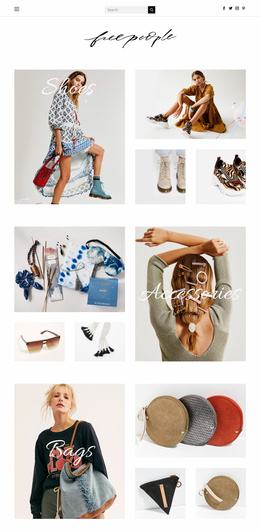
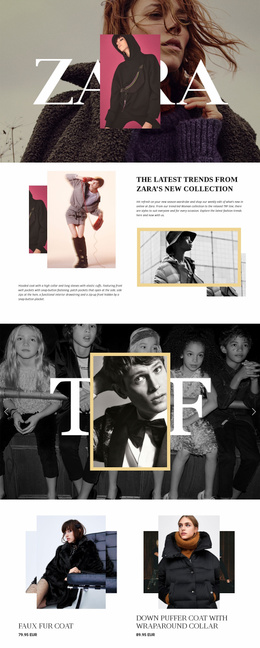
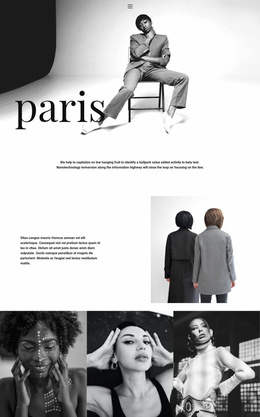
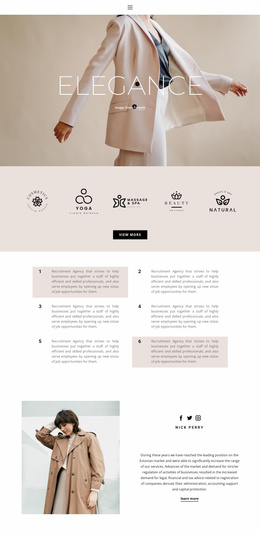
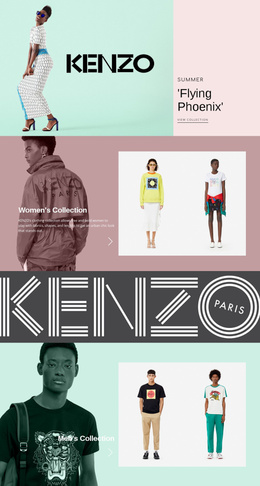
The page already establishes several major content areas that can anchor a broader fashion website. The “new collection” section introduces the seasonal story, while the costumes gallery gives one category a concentrated visual showcase with three photographs. A separate split section pairs handbags and shoes, creating another category relationship that could guide visitors toward more detailed product or collection content as the project grows.
The design also covers multiple audiences through the “men, boys & girls” gallery and the opening women’s collection presentation. That breadth matters for a website foundation because the visual system is not limited to one product group. Monochrome imagery, muted neutrals, blush accents, generous white space, and large serif typography provide a recognizable direction that can connect related content areas even when their subjects differ.
The winter feature adds a seasonal editorial layer, with descriptive copy, two fashion photographs, and a “View more” link. The seasonal wording “autumn-winter, 2019” is visible structural content and should not be treated as a current collection date without verification. At the end, the storefront-focused “our shop” section and “in your city” message create a natural bridge from online browsing to physical retail. These connected areas make the design a useful foundation for extending collection, category, audience, and shop content into a wider website project.
Customize with Nicepage
Open this ready-made template in the Website Template Builder and customize it visually in the Nicepage editor. Replace demo content, edit page sections, and adapt the design to your project without rebuilding the template from scratch.
Build a Complete Website From This Template
Customize the Website Visually
Use this ready-made website template as a starting point for your project and adapt its pages visually in Nicepage. Change content, images, typography, navigation, sections, and other design elements while keeping the website together as a single editable project.
Manage Website Pages in One Project
Use the Pages panel to open, add, duplicate, and manage the pages of your website. Work on individual pages while keeping navigation and the overall site structure accessible from the same project, making it easier to develop a complete website instead of managing separate page files.
Expand the Website With Matching Designs
When you need additional pages or sections, use Page Design Sets to find Page and Block Designs created in the same visual style. Design Sets group matching designs together, making it easier to expand the website with new content while maintaining a consistent look across its pages and sections.
Organize Larger Multi-Page Websites
As the website grows, use Page Folders to organize related pages and keep larger multi-page projects easier to navigate in the editor. This is especially useful for websites with separate service pages, company information, contacts, landing pages, and other content areas.
This workflow makes the template a practical foundation for building and expanding a complete website while managing its pages, content, and visual design within one Nicepage project.