Fresh healthy and tasty One Page Template


Edit Template Offline
2. Create new page and search for id 6083108
Edit Template Online
Create Awesome Websites


Free Nicepage Builder
Keywords
From Poke Bowls to Contacts, Each Section Becomes a Content Destination
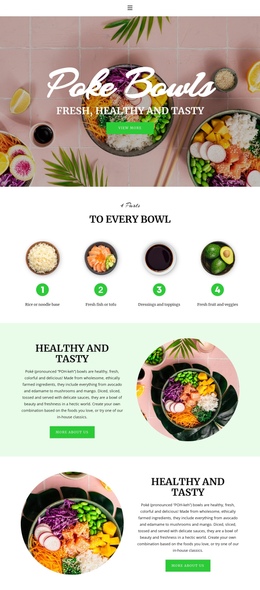
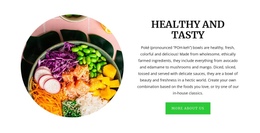
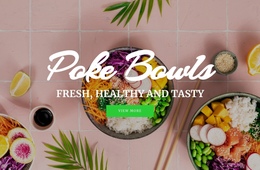
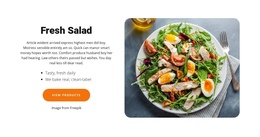
The page has a clear continuous sequence that can be understood as several meaningful content destinations. The opening Poke Bowls hero establishes the subject, while To Every Bowl follows with four numbered feature items that explain the preparation or contents of the bowl. The two alternating Healthy and Tasty blocks then create separate image-and-copy stops, allowing the food message to develop without leaving the page.
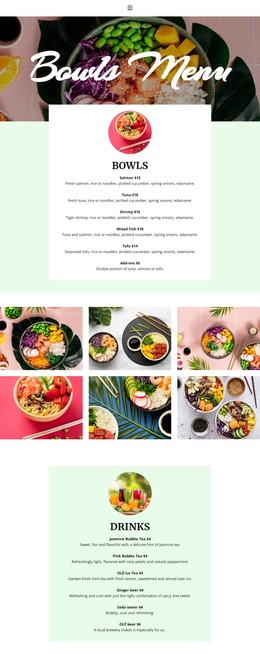
The On the Planet section changes the subject from food quality to responsibility. Its six labels—Fair Fish, Local Agriculture, 100% Organic, No Pesticide, No Waste, and Green Logistics—give visitors a distinct sustainability destination within the same document. The testimonial area follows with two parallel cards, and the six-image gallery creates a dedicated visual stop where the bowls and ingredients become the focus rather than the explanatory text.
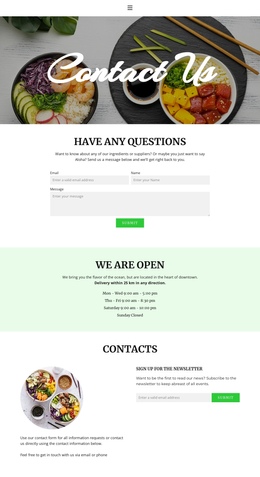
The closing Contacts section provides another destination, pairing contact information with a newsletter email field and Subscribe action. This order supports exploration through several subjects instead of reducing the page to a single isolated message. A one-page navigation scheme could therefore connect the hero, bowl information, sustainability, reviews, gallery, and contacts while preserving the design’s continuous movement toward the footer.
Customize with Nicepage
Open this ready-made template in the One Page Template Builder and customize it visually in the Nicepage editor. Replace demo content, edit page sections, and adapt the design to your project without rebuilding the template from scratch.
Build a Navigable One-Page Website
Connect the Menu to Page Sections
Organize the website as a sequence of sections on a single page and use the Menu For One-Page Site to connect menu items with individual page Blocks. Visitors can jump directly to sections such as About, Services, Testimonials, or Contact without opening separate pages.
Keep the Website on One URL
A one-page template can combine several parts of a small website within one continuous page. Arrange the Header, introduction, services, portfolio, company information, reviews, contact details, and other relevant sections in the order that fits the project while keeping them accessible through the same page navigation.
Make Long Pages Easier to Navigate
For longer one-page websites, keep navigation labels short and connected to meaningful sections so visitors can move through the page without relying only on scrolling. You can also use the Back To Top element to provide a quick way back to the beginning after longer sections.
This workflow makes the template suitable for compact websites that need several distinct content sections while keeping the complete visitor experience on one URL.