World Cup 2018 One Page Template


Edit Template Offline
2. Create new page and search for id 25118
Edit Template Online
Create Awesome Websites


Free Nicepage Builder
Keywords
Player, stadium, match, and interview sections form one continuous journey
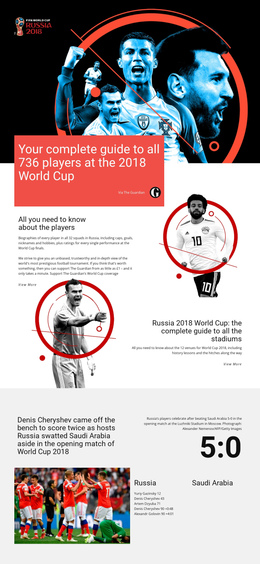
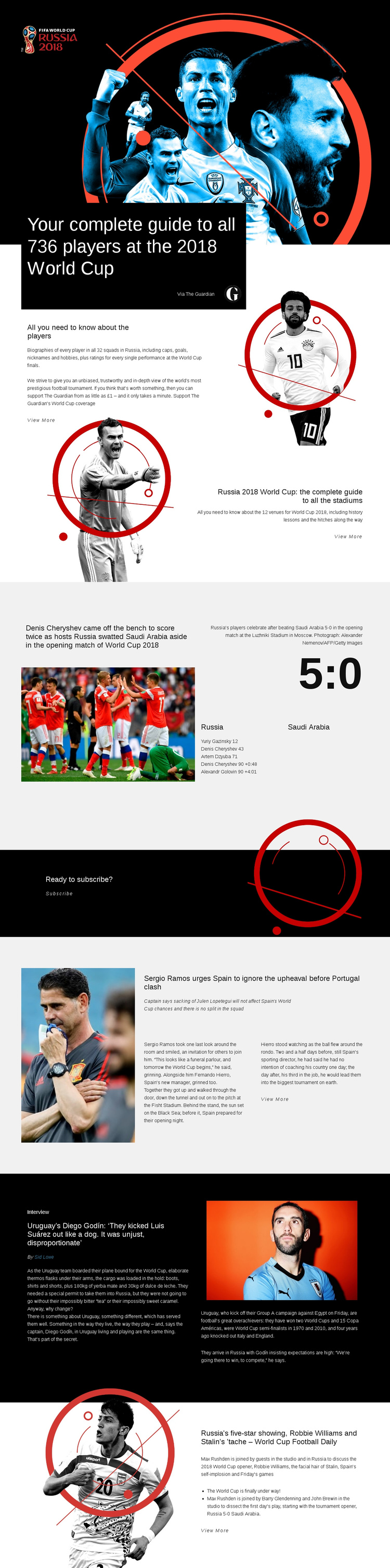
The page supports a one-page reading journey because its major subjects are arranged as distinct destinations within a single editorial sequence. The opening hero introduces the complete player guide, and the next split section expands that subject through biographies, performance ratings, caps, goals, nicknames, and hobbies. The stadium block then provides a meaningful change of destination, moving from people-focused reference content to a guide covering 12 venues and their history.
The match-report grid creates another recognizable stop in the sequence. Its photograph, 5:0 score panel, goal details, and Luzhniki Stadium caption allow the visitor to pause on one specific opening-match story before reaching the subscription section. The black “Ready to subscribe?” band acts as an identifiable response destination rather than merely another article transition.
Below it, the Spain team feature, Diego Godín interview, and World Cup Football Daily section continue the page through progressively different editorial formats. A visitor can therefore move from reference guides to match evidence, then to subscription, team news, interview material, and podcast discussion without leaving the document. The layout's generous spacing and alternating light and dark sections help separate these destinations visually, even though they remain part of one continuous World Cup page.
Customize with Nicepage
Open this ready-made template in the One Page Template Builder and customize it visually in the Nicepage editor. Replace demo content, edit page sections, and adapt the design to your project without rebuilding the template from scratch.
Build a Navigable One-Page Website
Connect the Menu to Page Sections
Organize the website as a sequence of sections on a single page and use the Menu For One-Page Site to connect menu items with individual page Blocks. Visitors can jump directly to sections such as About, Services, Testimonials, or Contact without opening separate pages.
Keep the Website on One URL
A one-page template can combine several parts of a small website within one continuous page. Arrange the Header, introduction, services, portfolio, company information, reviews, contact details, and other relevant sections in the order that fits the project while keeping them accessible through the same page navigation.
Make Long Pages Easier to Navigate
For longer one-page websites, keep navigation labels short and connected to meaningful sections so visitors can move through the page without relying only on scrolling. You can also use the Back To Top element to provide a quick way back to the beginning after longer sections.
This workflow makes the template suitable for compact websites that need several distinct content sections while keeping the complete visitor experience on one URL.