Cycling News One Page Template


Edit Template Offline
2. Create new page and search for id 14633
Edit Template Online
Create Awesome Websites


Free Nicepage Builder
Keywords
From BikeBoard Headlines to Destination Stories in One Continuous Flow
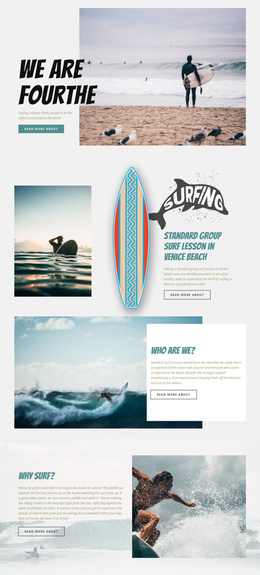
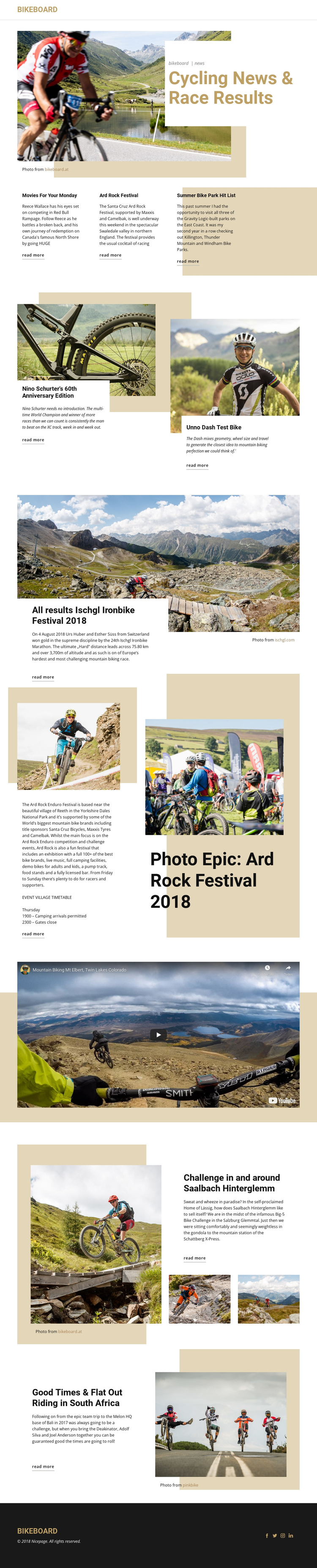
The page has a clear editorial sequence that can be explored without separating each story into a different page. The BikeBoard header establishes the publication identity, and the hero gives visitors the primary subject immediately through its cycling-news and race-results heading. The next three-column row works as a set of compact destinations, introducing “Movies For Your Monday,” Ard Rock Festival, and a summer bike park list before the layout moves into deeper coverage.
The middle of the page provides several distinct stops in the content journey. Visitors encounter bike feature panels, the Ischgl Ironbike results story, and the Ard Rock photo epic before reaching the dedicated riding video. The later sections continue with the Big-5 Bike Challenge around Saalbach Hinterglemm and a South Africa riding feature. These changes in article size, image treatment, and text density give each section a recognizable role while keeping the publication on one document.
The repeated “read more” links support movement from short introductions toward fuller coverage, but the design is not dependent on a single response action. Its stronger one-page quality comes from the progression through several editorial destinations: news, equipment, events, video, challenges, and riding locations. A compact menu can therefore frame the experience as a continuous magazine-style page, with the dark social footer providing a natural final destination.
Customize with Nicepage
Open this ready-made template in the One Page Template Builder and customize it visually in the Nicepage editor. Replace demo content, edit page sections, and adapt the design to your project without rebuilding the template from scratch.
Build a Navigable One-Page Website
Connect the Menu to Page Sections
Organize the website as a sequence of sections on a single page and use the Menu For One-Page Site to connect menu items with individual page Blocks. Visitors can jump directly to sections such as About, Services, Testimonials, or Contact without opening separate pages.
Keep the Website on One URL
A one-page template can combine several parts of a small website within one continuous page. Arrange the Header, introduction, services, portfolio, company information, reviews, contact details, and other relevant sections in the order that fits the project while keeping them accessible through the same page navigation.
Make Long Pages Easier to Navigate
For longer one-page websites, keep navigation labels short and connected to meaningful sections so visitors can move through the page without relying only on scrolling. You can also use the Back To Top element to provide a quick way back to the beginning after longer sections.
This workflow makes the template suitable for compact websites that need several distinct content sections while keeping the complete visitor experience on one URL.