Protect The Oceans One Page Template


Edit Template Offline
2. Create new page and search for id 14604
Edit Template Online
Create Awesome Websites


Free Nicepage Builder
Keywords
Pollution to Sustainable Seafood: A Continuous Conservation Journey
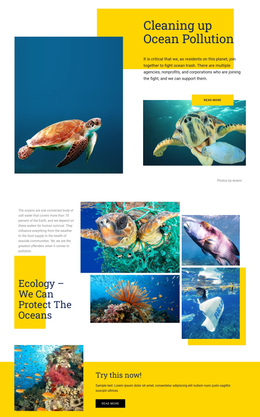
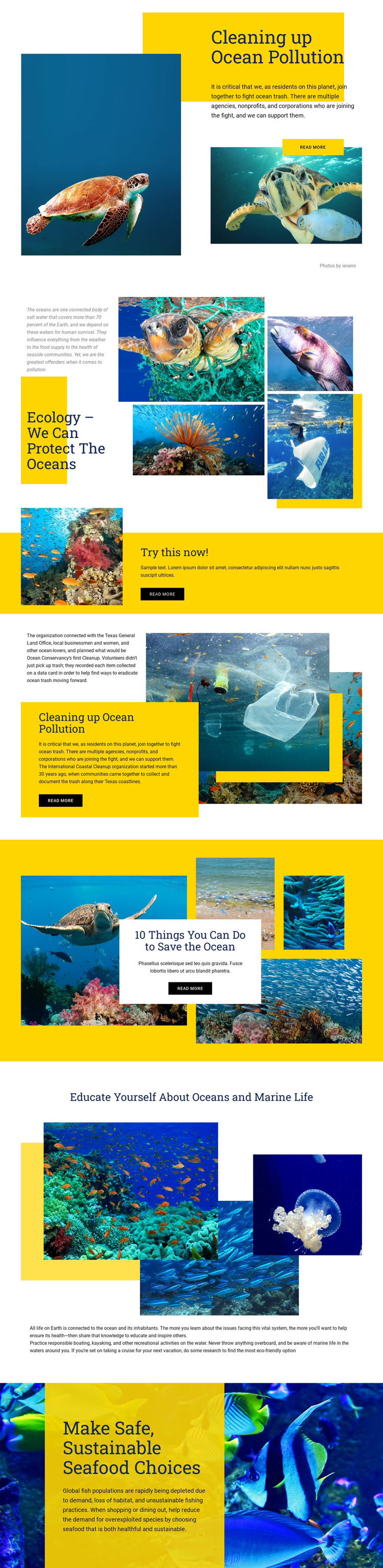
The section order creates several meaningful destinations within one document. Visitors first encounter “Cleaning up Ocean Pollution,” where the yellow text panel and stacked ocean photographs establish the subject. The ecology gallery follows with explanatory content and a multi-image collage, allowing readers to move from the problem itself into broader environmental context. The “Try this now!” band then acts as a visible midpoint, separating background information from more practical material without requiring a new page.
The lower sections continue that sequence in a deliberate direction. Coastal cleanup content introduces participation and references the International Coastal Cleanup; the “10 Things You Can Do to Save the Ocean” area broadens the response into everyday behavior; and marine-life education supplies a learning destination before the final guidance on safe, sustainable seafood choices. The page also discusses responsible boating, kayaking, and eco-friendly cruise options, so the visitor can explore different forms of environmental responsibility within the same document. The repeated Read More buttons can mark local continuation points, but the design’s main strength as a one-page structure is the progression between distinct subjects. Each block changes its image composition or color emphasis while remaining part of a single navigable content experience.
Customize with Nicepage
Open this ready-made template in the One Page Template Builder and customize it visually in the Nicepage editor. Replace demo content, edit page sections, and adapt the design to your project without rebuilding the template from scratch.
Build a Navigable One-Page Website
Connect the Menu to Page Sections
Organize the website as a sequence of sections on a single page and use the Menu For One-Page Site to connect menu items with individual page Blocks. Visitors can jump directly to sections such as About, Services, Testimonials, or Contact without opening separate pages.
Keep the Website on One URL
A one-page template can combine several parts of a small website within one continuous page. Arrange the Header, introduction, services, portfolio, company information, reviews, contact details, and other relevant sections in the order that fits the project while keeping them accessible through the same page navigation.
Make Long Pages Easier to Navigate
For longer one-page websites, keep navigation labels short and connected to meaningful sections so visitors can move through the page without relying only on scrolling. You can also use the Back To Top element to provide a quick way back to the beginning after longer sections.
This workflow makes the template suitable for compact websites that need several distinct content sections while keeping the complete visitor experience on one URL.