Four Seasons One Page Template


Edit Template Offline
2. Create new page and search for id 12874
Edit Template Online
Create Awesome Websites


Free Nicepage Builder
Keywords
Villa, Gallery, and Dining Sections Create a Continuous Review Journey
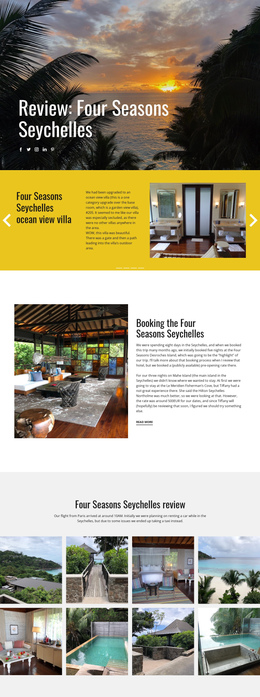
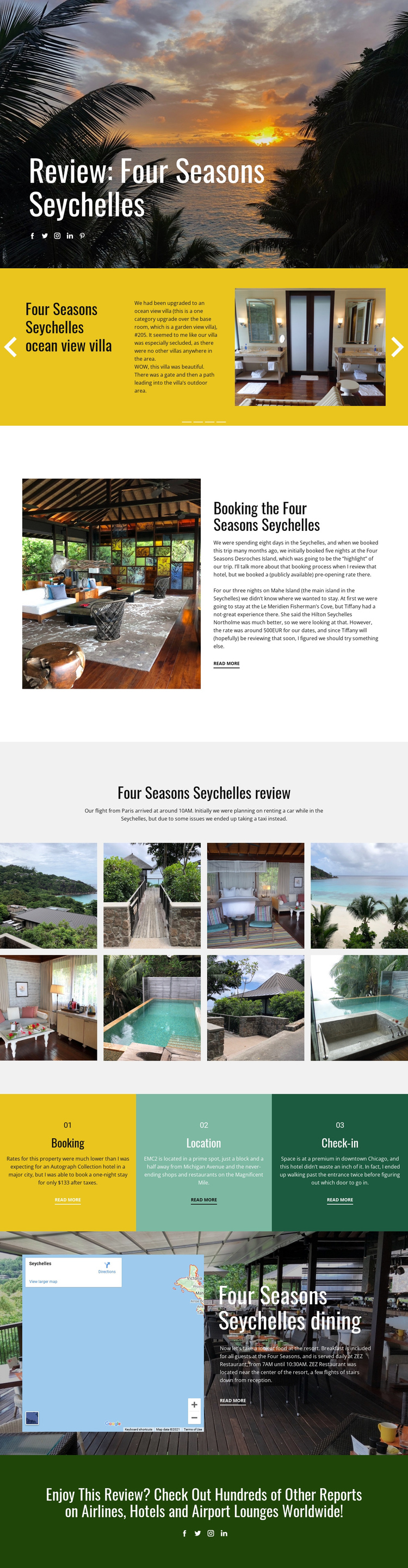
The page contains several meaningful information destinations within one document. Visitors first encounter the review title over a sunset photograph, then reach the four-part villa slider for accommodation-specific content. The booking block follows as a separate editorial stop, and the eight-image gallery opens the review into a broader visual section. This ordering lets the page move from atmosphere to accommodation, practical booking context, and destination imagery without breaking the reading experience across separate URLs.
The three numbered panels provide another navigational rhythm by isolating booking, location, and check-in as recognizable topics. Farther down, the map-and-dining section creates a distinct destination for the resort's food discussion, including the ZEZ Restaurant reference. The final green panel changes from review content to onward discovery, inviting readers to browse additional reports about airlines, hotels, and airport lounges. These transitions make the design suitable for a one-page information architecture because the content is varied but still connected by one subject and one scrolling journey. The page does not require invented anchor navigation to be understood this way; its real section sequence already provides the basis for meaningful destinations that a menu could later reference.
Customize with Nicepage
Open this ready-made template in the One Page Template Builder and customize it visually in the Nicepage editor. Replace demo content, edit page sections, and adapt the design to your project without rebuilding the template from scratch.
Build a Navigable One-Page Website
Connect the Menu to Page Sections
Organize the website as a sequence of sections on a single page and use the Menu For One-Page Site to connect menu items with individual page Blocks. Visitors can jump directly to sections such as About, Services, Testimonials, or Contact without opening separate pages.
Keep the Website on One URL
A one-page template can combine several parts of a small website within one continuous page. Arrange the Header, introduction, services, portfolio, company information, reviews, contact details, and other relevant sections in the order that fits the project while keeping them accessible through the same page navigation.
Make Long Pages Easier to Navigate
For longer one-page websites, keep navigation labels short and connected to meaningful sections so visitors can move through the page without relying only on scrolling. You can also use the Back To Top element to provide a quick way back to the beginning after longer sections.
This workflow makes the template suitable for compact websites that need several distinct content sections while keeping the complete visitor experience on one URL.