Bronco Rc Car Landing Page
Edit Template Offline
2. Create new page and search for id 14117
Edit Template Online
Create Awesome Websites


Free Nicepage Builder
Keywords
Vehicle Proof Builds Toward the More About Response
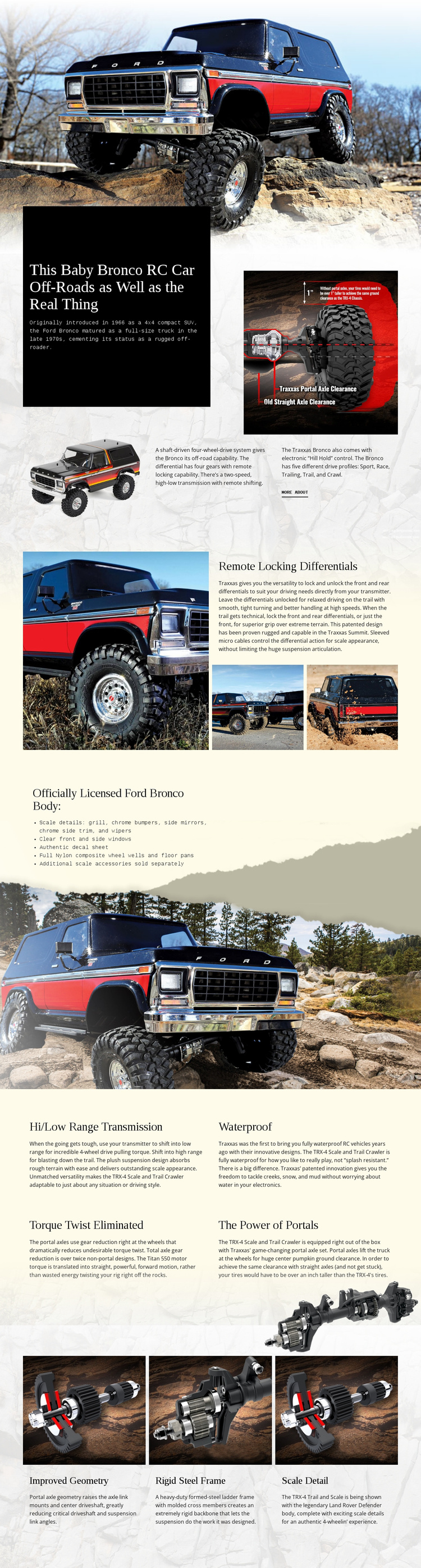
The opening full-width vehicle image creates an immediate product impression before the page explains what makes the Ford Bronco RC distinctive. The introductory section combines a strong statement with several vehicle images, historical context, drivetrain information, and a More About link. This gives the page an initial subject, a reason to continue reading, and a visible route toward deeper product information without requiring a separate opening offer panel.
The supporting sections work as evidence for that response path. Remote locking differentials is presented beside a large vehicle photograph and two detail images, allowing a specific capability to receive more attention than a generic feature list. The licensed body section adds concrete scale cues through chrome bumpers, mirrors, trim, wipers, clear windows, and an authentic decal sheet. These details help connect the product’s appearance with its technical positioning.
Four additional blocks then reinforce the mechanical story through hi/low range transmission, waterproof construction, torque twist elimination, and portal power. The final cards for improved geometry, a rigid steel frame, and scale detail provide a compact recap before the page ends. If the More About link is made the primary response, the page can guide visitors from visual interest to feature understanding and then onward to fuller product information. The Contact Form Element is available if a later version needs an inquiry action, but the verified design itself supports a learn-more goal rather than a confirmed purchase or registration funnel.
Customize with Nicepage
Open this ready-made template in the Landing Page Builder and customize it visually in the Nicepage editor. Replace demo content, edit page sections, and adapt the design to your project without rebuilding the template from scratch.
Build a Landing Page Around One Conversion Goal
Focus on One Primary Action
Use the landing page to guide visitors toward one measurable response, such as requesting a quote, registering, subscribing, booking a consultation, applying for a service, or submitting an inquiry. Keep the primary call-to-action consistent across the important sections so the headline, supporting content, form, and CTA buttons work toward the same campaign goal instead of competing for attention.
Capture Leads With a Form
Use the Contact Form Element to add a contact, subscription, application, or other conversion form directly to the landing page. Customize the form fields, layout, labels, inputs, and button to collect the information required for your campaign while keeping the form focused on the action you want visitors to complete.
Nicepage also provides several form submission options. Form submissions can be sent to Email, stored as Leads, added to Google Sheets, passed to a custom URL or server endpoint, or used to populate a MailChimp mailing list. This provides practical options for collecting inquiries, registrations, subscriptions, applications, and other campaign responses.
Manage Leads and Campaign Responses
When submissions are stored as Leads, you can use Contact Form Leads to review the information collected through the landing page and use it for follow-up. Keep the form connected to the same offer and primary CTA presented throughout the page so visitors move from the campaign message to a clear conversion action.
This workflow makes the template suitable for landing pages where the offer, content, call-to-action, form, and lead collection process work together toward one defined conversion goal.

More from Cars & Transportation Landing Pages
-
Free Website Builder SoftwareDownload