Welcome it to our employees Joomla Template



Four Portrait-and-Name Items Form a Clear Joomla Content Region
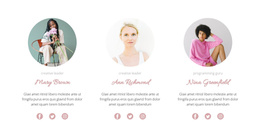
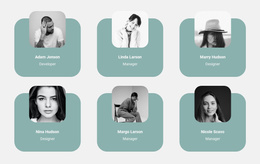
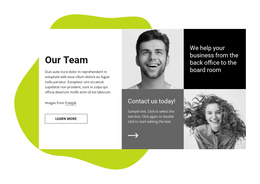
The centered heading “meet the team” establishes the purpose of the section before the repeated member items appear. Four circular portraits and the labels Margo, Nick, Linda, and Paul create a consistent content pattern, so each person is presented through the same visual relationship rather than through unrelated card layouts. The repeated structure is especially suited to a Joomla-managed page where team information can occupy one stable, recognizable region alongside other content areas.
The pale lavender horizontal band gives the portrait arrangement a defined background without separating the four members into isolated panels. Because the portraits and names form a centered two-row composition, the section can provide a compact team overview while preserving a clear reading order. It can fit naturally between introductory information and other page sections that explain services, work, or contact details, depending on the surrounding project.
In a Joomla-oriented implementation, this block can serve as a visual presentation layer for structured team information while the wider site manages its broader editorial content. The section itself remains a reusable team region; it does not need to carry the site’s navigation or other page-level functions. Its consistent portrait treatment, repeated names, and restrained lavender accent make the member group easy to recognize when reused within a Joomla-managed page.
Customize with Nicepage
Open this ready-made template in the Joomla Page Builder and customize it visually in the Nicepage editor. Replace demo content, edit page sections, and adapt the design to your project without rebuilding the template from scratch.
Edit Template Offline
2. Create a new page or select existing
3. Click Add new block, search for id 896423 and click enter
Edit Template Online
Create Awesome Websites


Free Nicepage Builder
Keywords
Work With This Template in Joomla
Customize and Install the Joomla Template
Start with this ready-made template instead of building the Joomla design from scratch. Customize its layout, content, typography, images, sections, and other design elements visually in the Nicepage application, then export and install the Joomla Template, Nicepage Extension, and supported content on your Joomla website.
Edit the Template Directly in Joomla
After installation, you can edit the Joomla Template directly in Joomla with the Nicepage Joomla Extension. Customize the Header, Footer, Colors, Fonts, typography, and Page Templates from the Joomla workflow while keeping the site design connected with your CMS content.
Edit Joomla Articles Visually
Use the Nicepage Joomla Extension to open and edit Joomla Articles visually from the Joomla Administrator. Change text, images, sections, layouts, and other page content in the Nicepage editor while continuing to manage the Articles through Joomla.
Joomla Content and Template Integration
Use the customized template together with Joomla Articles, module Positions, menus, forms, Blog Pages, and other supported CMS elements. With the Nicepage Extension used as the Site Style Source, shared design settings can be applied across Joomla Articles while Joomla continues to provide the CMS environment for managing site content.
This workflow combines a ready-made Joomla Template with visual customization, direct template editing in Joomla, and continued content management through the Nicepage Joomla Extension.