
Privacy matters to our clients Joomla Template
Edit Template Offline
2. Create new page and search for id 6543604
Edit Template Online
Create Awesome Websites


Free Nicepage Builder
Keywords
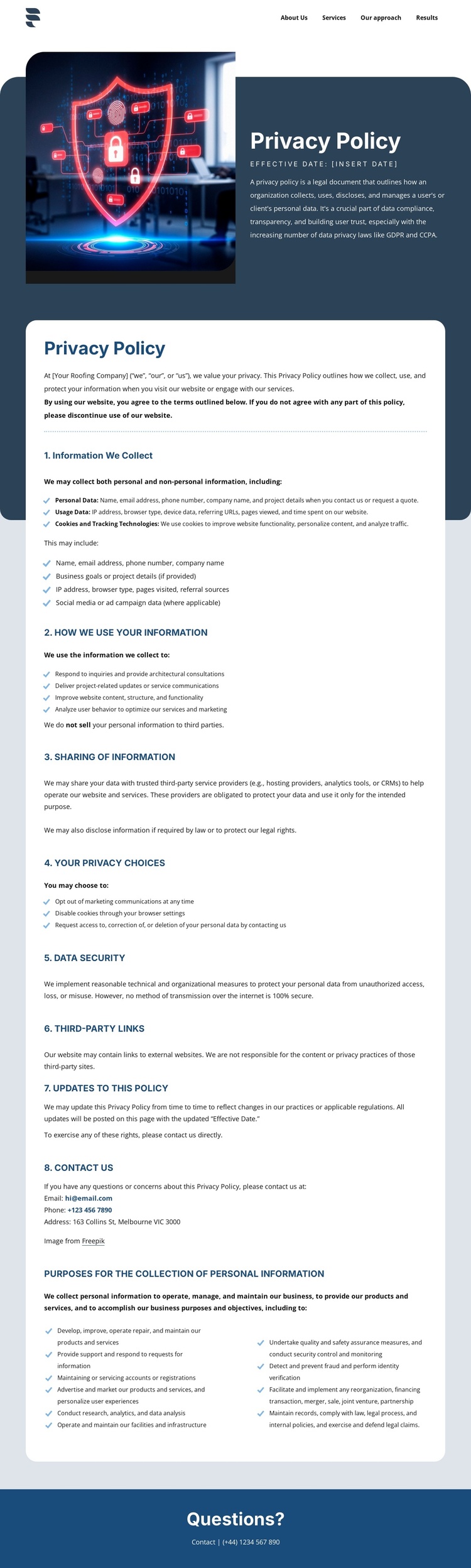
Structured Privacy Sections Map Naturally to Managed Site Content
The page divides its subject into eight durable information regions rather than presenting one uninterrupted statement. The opening cybersecurity image and dark policy panel identify the document, while the white card holds the recurring content areas: information collected, permitted uses, sharing, privacy choices, data security, third-party links, policy updates, and contact. This division gives a Joomla-managed site a practical content structure for maintaining policy information alongside the site’s navigation and shared footer region.
The repeated headings and lists are particularly important because they separate different kinds of policy content. Personal information, usage data, cookies, and tracking technologies can be explained in one area; rights related to access, correction, deletion, and marketing preferences can remain distinct; and disclosures to service providers or required by law can be kept in their own context. The statement that information is not sold to third parties also has a clear place within that broader sharing explanation. References to GDPR and CCPA add recognizable regulatory topics without changing the page’s visual organization.
The compact navigation connects the policy page to wider site areas, while the final “Questions?” bar provides a shared-looking contact region. In a Joomla project, these relationships make the design suitable for structured CMS content: navigation leads into the policy document, repeated sections carry the informational material, and the closing contact area gives visitors a defined place for further questions.
Customize with Nicepage
Open this ready-made template in the Joomla Page Builder and customize it visually in the Nicepage editor. Replace demo content, edit page sections, and adapt the design to your project without rebuilding the template from scratch.
Work With This Template in Joomla
Customize and Install the Joomla Template
Start with this ready-made template instead of building the Joomla design from scratch. Customize its layout, content, typography, images, sections, and other design elements visually in the Nicepage application, then export and install the Joomla Template, Nicepage Extension, and supported content on your Joomla website.
Edit the Template Directly in Joomla
After installation, you can edit the Joomla Template directly in Joomla with the Nicepage Joomla Extension. Customize the Header, Footer, Colors, Fonts, typography, and Page Templates from the Joomla workflow while keeping the site design connected with your CMS content.
Edit Joomla Articles Visually
Use the Nicepage Joomla Extension to open and edit Joomla Articles visually from the Joomla Administrator. Change text, images, sections, layouts, and other page content in the Nicepage editor while continuing to manage the Articles through Joomla.
Joomla Content and Template Integration
Use the customized template together with Joomla Articles, module Positions, menus, forms, Blog Pages, and other supported CMS elements. With the Nicepage Extension used as the Site Style Source, shared design settings can be applied across Joomla Articles while Joomla continues to provide the CMS environment for managing site content.
This workflow combines a ready-made Joomla Template with visual customization, direct template editing in Joomla, and continued content management through the Nicepage Joomla Extension.





















