Product feedback survey Joomla Template


Grouped Product Feedback for a Joomla Content Region
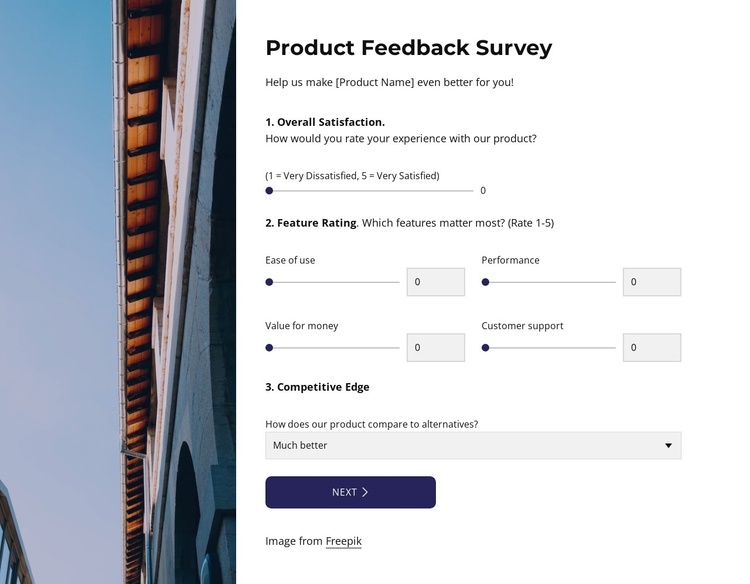
The survey’s right-hand content can function as a structured feedback region in a Joomla-managed page. Its heading and supporting text establish why visitors are being asked to respond, then the visible groups divide the task into Overall Satisfaction, Feature Rating, and Competitive Edge. Five range controls provide a consistent way to rate Ease of use, Performance, Value for money, and Customer support, while the select control accommodates a different type of product comparison response.
The HTML-defined Future Wishlist step gives the section a second informational layer. Three checkbox options, including More customization, Lower pricing, and Mobile app, let respondents identify possible improvements, while the Other textarea leaves room for a suggestion outside those choices. The Finish Poll action completes the response sequence defined by the section. These details make the block suitable for a reusable survey or feedback content area rather than a generic contact panel.
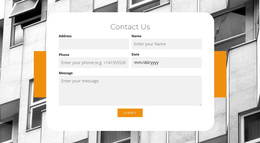
The tall architectural image on the left separates the visual presentation from the response region and gives the section a recognizable shape inside a Joomla-oriented page. Dark blue-purple accents help distinguish interactive fields from explanatory text. The wider Joomla-managed project can provide surrounding articles, navigation, and related content, while this block preserves its focused product-feedback role.
Customize with Nicepage
Open this ready-made template in the Joomla Page Builder and customize it visually in the Nicepage editor. Replace demo content, edit page sections, and adapt the design to your project without rebuilding the template from scratch.
Edit Template Offline
2. Create a new page or select existing
3. Click Add new block, search for id 6536921 and click enter
Edit Template Online
Create Awesome Websites


Free Nicepage Builder
Keywords
Work With This Template in Joomla
Customize and Install the Joomla Template
Start with this ready-made template instead of building the Joomla design from scratch. Customize its layout, content, typography, images, sections, and other design elements visually in the Nicepage application, then export and install the Joomla Template, Nicepage Extension, and supported content on your Joomla website.
Edit the Template Directly in Joomla
After installation, you can edit the Joomla Template directly in Joomla with the Nicepage Joomla Extension. Customize the Header, Footer, Colors, Fonts, typography, and Page Templates from the Joomla workflow while keeping the site design connected with your CMS content.
Edit Joomla Articles Visually
Use the Nicepage Joomla Extension to open and edit Joomla Articles visually from the Joomla Administrator. Change text, images, sections, layouts, and other page content in the Nicepage editor while continuing to manage the Articles through Joomla.
Joomla Content and Template Integration
Use the customized template together with Joomla Articles, module Positions, menus, forms, Blog Pages, and other supported CMS elements. With the Nicepage Extension used as the Site Style Source, shared design settings can be applied across Joomla Articles while Joomla continues to provide the CMS environment for managing site content.
This workflow combines a ready-made Joomla Template with visual customization, direct template editing in Joomla, and continued content management through the Nicepage Joomla Extension.