Idea and Planning Joomla Template


Edit Template Offline
2. Create new page and search for id 6447881
Edit Template Online
Create Awesome Websites


Free Nicepage Builder
Keywords
Partner, Team, and Investor Regions Give the Page a Clear CMS Content Structure
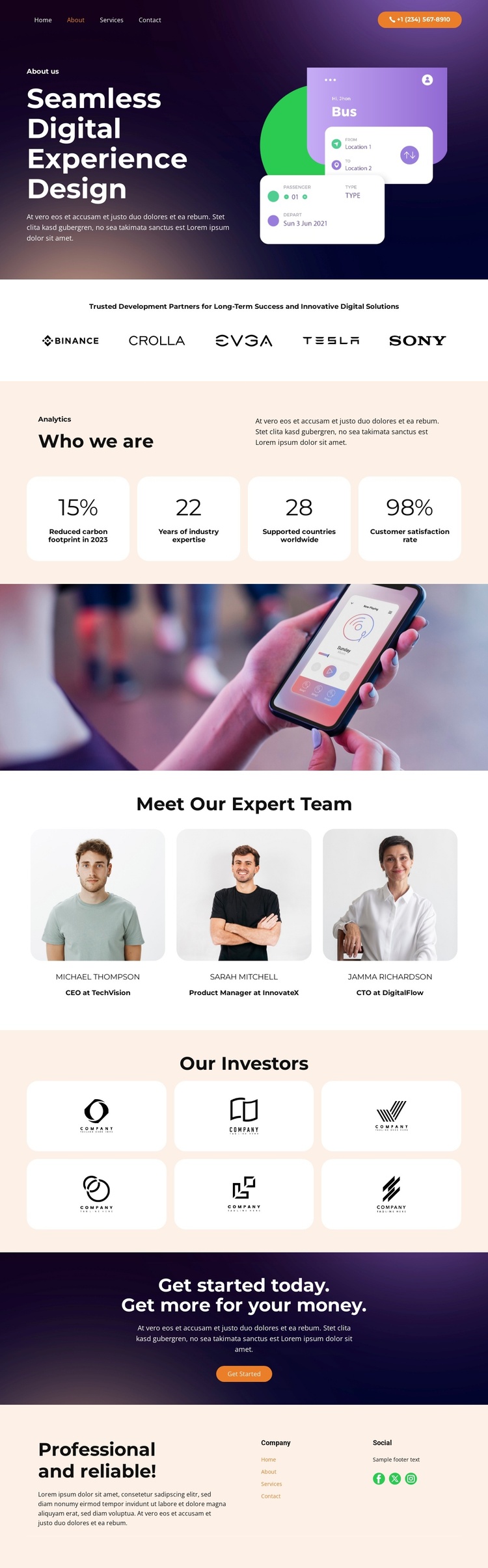
The page separates its company story into recognizable content regions that can be maintained as a structured Joomla-oriented site presentation. The opening About section combines the organization’s digital experience design positioning with a supporting interface illustration, creating an introductory information area before the partner-logo strip. Five partner logos form a distinct credibility region, while the Who we are section pairs explanatory text with four displayed metric cards.
Further down, the full-width photograph works as a visual separator between organizational information and the three portrait profiles in the team section. That separation is useful when content is organized into repeatable areas: team information can remain distinct from the identity statement, while the six investor logo cards provide another grouped region for supporting organizations. The page therefore has more than a single promotional block; it has several clearly bounded areas for company information, people, relationships, and proof.
The final dark photographic call to action and the footer extend the structure into contact and navigation content. The Get Started button gives the page an initiation point, and the footer groups the company summary, navigation links, and Facebook, Twitter, and Instagram links into shared site information. This combination suits a Joomla implementation where organized content regions, navigation, and reusable company areas need to remain visually coordinated as the site develops.
Customize with Nicepage
Open this ready-made template in the Joomla Page Builder and customize it visually in the Nicepage editor. Replace demo content, edit page sections, and adapt the design to your project without rebuilding the template from scratch.
Work With This Template in Joomla
Customize and Install the Joomla Template
Start with this ready-made template instead of building the Joomla design from scratch. Customize its layout, content, typography, images, sections, and other design elements visually in the Nicepage application, then export and install the Joomla Template, Nicepage Extension, and supported content on your Joomla website.
Edit the Template Directly in Joomla
After installation, you can edit the Joomla Template directly in Joomla with the Nicepage Joomla Extension. Customize the Header, Footer, Colors, Fonts, typography, and Page Templates from the Joomla workflow while keeping the site design connected with your CMS content.
Edit Joomla Articles Visually
Use the Nicepage Joomla Extension to open and edit Joomla Articles visually from the Joomla Administrator. Change text, images, sections, layouts, and other page content in the Nicepage editor while continuing to manage the Articles through Joomla.
Joomla Content and Template Integration
Use the customized template together with Joomla Articles, module Positions, menus, forms, Blog Pages, and other supported CMS elements. With the Nicepage Extension used as the Site Style Source, shared design settings can be applied across Joomla Articles while Joomla continues to provide the CMS environment for managing site content.
This workflow combines a ready-made Joomla Template with visual customization, direct template editing in Joomla, and continued content management through the Nicepage Joomla Extension.