Music Festival Joomla Template


Edit Template Offline
2. Create new page and search for id 26443
Edit Template Online
Create Awesome Websites


Free Nicepage Builder
Keywords
Festival Recommendations and Experiences Create Organized Joomla Content Areas
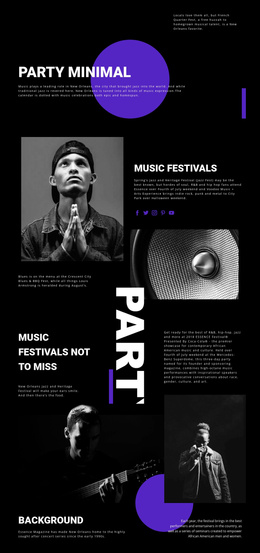
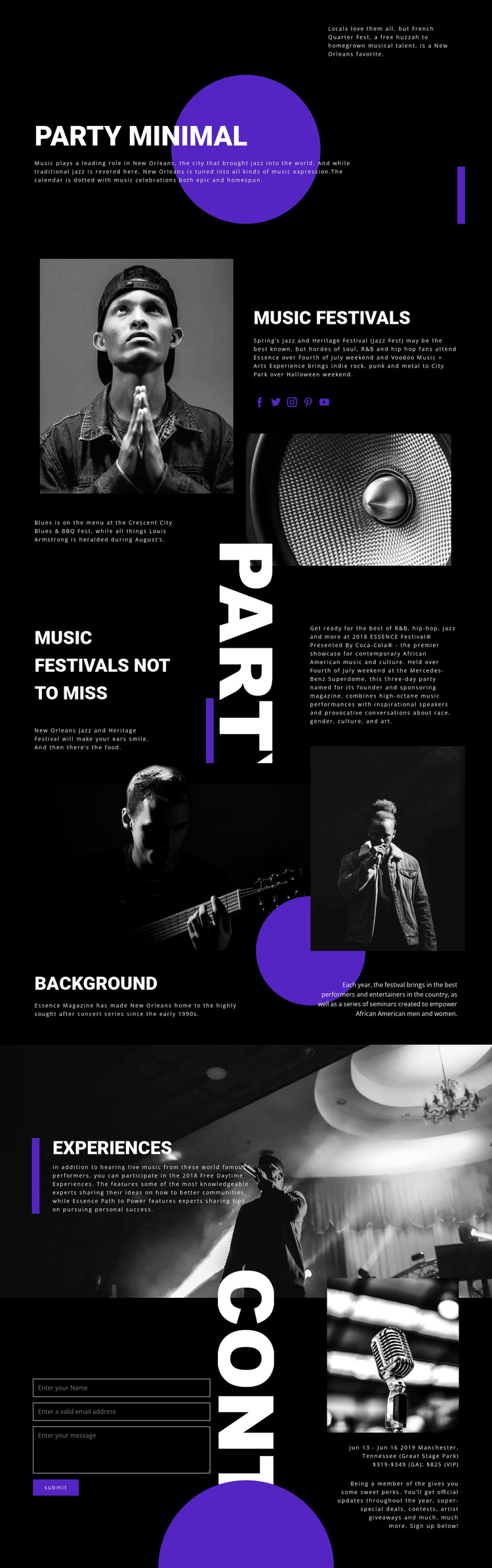
The festival overview and recommendation sections divide the subject into clear informational regions. MUSIC FESTIVALS introduces the broader New Orleans context alongside photography and social links, while MUSIC FESTIVALS NOT TO MISS concentrates on selected examples such as Jazz and Heritage Festival and Essence Festival. That distinction can help a Joomla project keep general orientation separate from more focused editorial content rather than presenting every festival in one undifferentiated block.
The Background section adds another structured region around the Essence concert series, performer imagery, and seminars. Experiences then gives daytime activities and live-music participation their own place. Together, these areas resemble a content hierarchy in which recurring information can remain visually coordinated while individual descriptions, images, or event details change over time. The closing contact form and adjacent event information provide a separate visitor-facing region for inquiries or sign-ups.
Navigation and social links reinforce the separation between these content roles. The page does not prove that Joomla Articles or module positions already exist, but its real sections are suitable for a CMS-managed arrangement of festival information, recommendations, experiences, and contact content. The design can therefore serve as a visual framework for structured Joomla content without requiring the page to be reduced to a generic CMS layout.
Customize with Nicepage
Open this ready-made template in the Joomla Page Builder and customize it visually in the Nicepage editor. Replace demo content, edit page sections, and adapt the design to your project without rebuilding the template from scratch.
Work With This Template in Joomla
Customize and Install the Joomla Template
Start with this ready-made template instead of building the Joomla design from scratch. Customize its layout, content, typography, images, sections, and other design elements visually in the Nicepage application, then export and install the Joomla Template, Nicepage Extension, and supported content on your Joomla website.
Edit the Template Directly in Joomla
After installation, you can edit the Joomla Template directly in Joomla with the Nicepage Joomla Extension. Customize the Header, Footer, Colors, Fonts, typography, and Page Templates from the Joomla workflow while keeping the site design connected with your CMS content.
Edit Joomla Articles Visually
Use the Nicepage Joomla Extension to open and edit Joomla Articles visually from the Joomla Administrator. Change text, images, sections, layouts, and other page content in the Nicepage editor while continuing to manage the Articles through Joomla.
Joomla Content and Template Integration
Use the customized template together with Joomla Articles, module Positions, menus, forms, Blog Pages, and other supported CMS elements. With the Nicepage Extension used as the Site Style Source, shared design settings can be applied across Joomla Articles while Joomla continues to provide the CMS environment for managing site content.
This workflow combines a ready-made Joomla Template with visual customization, direct template editing in Joomla, and continued content management through the Nicepage Joomla Extension.