Answers Joomla Template


Childcare Questions Form a Structured Joomla Content Region
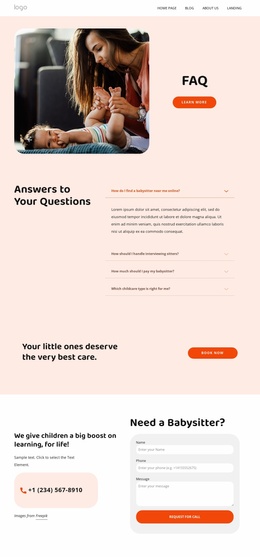
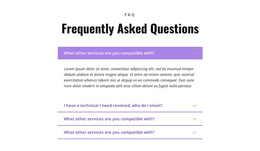
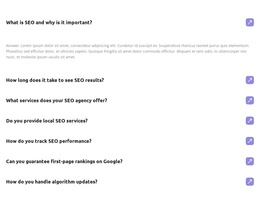
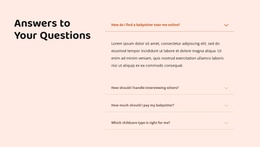
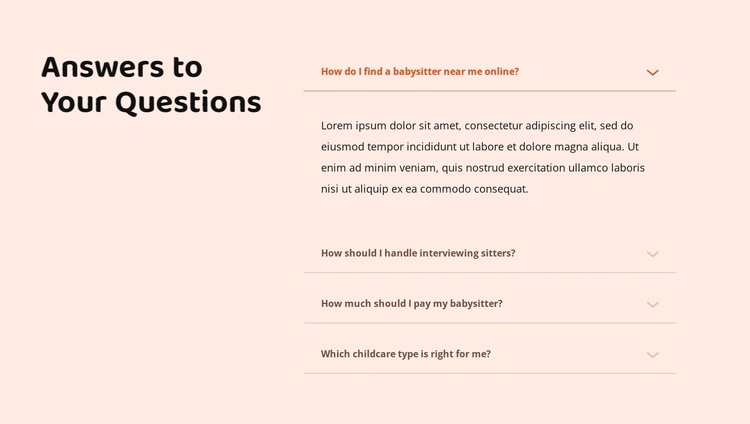
The four FAQ rows divide the section into practical childcare information units. Visitors can identify questions about finding a babysitter online, interviewing sitters, babysitter pay, and childcare types before opening an answer. The heading, “Answers to Your Questions,” occupies the left side as an introduction, while the accordion on the right provides the structured content region. This relationship gives the section a clear informational role within a Joomla-managed page without making the block itself a complete CMS template.
The first answer is expanded in the presented state, and the remaining three questions are collapsed. Thin rules separate the rows, and small downward chevrons indicate the expandable controls. The answer paragraphs are placeholder text, so a Joomla-oriented project can replace them with maintained guidance that matches the intended childcare content. The block can then remain a stable visual section while the broader site manages its other pages and editorial areas.
The pale peach background, dark bold typography, warm brown accent text, and generous horizontal spacing help distinguish this information region from neighboring content. If the section is used alongside other Joomla-managed material, its four-topic structure can act as a recognizable FAQ area for answering common visitor concerns, while the surrounding site supplies navigation, additional service information, and broader content management.
Customize with Nicepage
Open this ready-made template in the Joomla Page Builder and customize it visually in the Nicepage editor. Replace demo content, edit page sections, and adapt the design to your project without rebuilding the template from scratch.
Edit Template Offline
2. Create a new page or select existing
3. Click Add new block, search for id 6314984 and click enter
Edit Template Online
Create Awesome Websites


Free Nicepage Builder
Keywords
Work With This Template in Joomla
Customize and Install the Joomla Template
Start with this ready-made template instead of building the Joomla design from scratch. Customize its layout, content, typography, images, sections, and other design elements visually in the Nicepage application, then export and install the Joomla Template, Nicepage Extension, and supported content on your Joomla website.
Edit the Template Directly in Joomla
After installation, you can edit the Joomla Template directly in Joomla with the Nicepage Joomla Extension. Customize the Header, Footer, Colors, Fonts, typography, and Page Templates from the Joomla workflow while keeping the site design connected with your CMS content.
Edit Joomla Articles Visually
Use the Nicepage Joomla Extension to open and edit Joomla Articles visually from the Joomla Administrator. Change text, images, sections, layouts, and other page content in the Nicepage editor while continuing to manage the Articles through Joomla.
Joomla Content and Template Integration
Use the customized template together with Joomla Articles, module Positions, menus, forms, Blog Pages, and other supported CMS elements. With the Nicepage Extension used as the Site Style Source, shared design settings can be applied across Joomla Articles while Joomla continues to provide the CMS environment for managing site content.
This workflow combines a ready-made Joomla Template with visual customization, direct template editing in Joomla, and continued content management through the Nicepage Joomla Extension.