Successful financial strategy Joomla Template



Edit Template Offline
2. Create new page and search for id 275824
Edit Template Online
Create Awesome Websites


Free Nicepage Builder
Keywords
Sector Lists and Service Regions Support Structured CMS Content
The banking and insurance section gives the design a particularly clear structured-content role. Its two-column arrangement pairs an institutional statement with a vertical list covering retail banking, private banking and wealth management, corporate banking and capital markets, transaction banking, asset management, life and property insurance, health insurance, and reinsurance. These are distinct information areas that can be maintained as organized consulting content rather than treated as one undifferentiated paragraph.
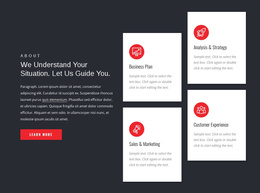
The six image-backed service tiles provide a second content pattern. Consultations, Strategy, Investment, Marketing, Startups, and Anti-Crisis are presented as repeated categories, while the four capability cards separately identify Business Plan, Sales & Marketing, Analysis & Strategy, and Customer Experience. The shared Header and footer-style ending, together with the team, FAQ, and contact regions, gives the page additional reusable boundaries for navigation and site content. In a Joomla project, this arrangement can therefore support a CMS-managed consulting site whose menus and information regions remain visually coordinated. The point is not that Joomla Articles or module positions already exist in the template, but that the real service, sector, FAQ, team, and contact divisions provide sensible regions for structured editorial content. A Joomla content environment can preserve those relationships while the page grows.
Customize with Nicepage
Open this ready-made template in the Joomla Page Builder and customize it visually in the Nicepage editor. Replace demo content, edit page sections, and adapt the design to your project without rebuilding the template from scratch.
Work With This Template in Joomla
Customize and Install the Joomla Template
Start with this ready-made template instead of building the Joomla design from scratch. Customize its layout, content, typography, images, sections, and other design elements visually in the Nicepage application, then export and install the Joomla Template, Nicepage Extension, and supported content on your Joomla website.
Edit the Template Directly in Joomla
After installation, you can edit the Joomla Template directly in Joomla with the Nicepage Joomla Extension. Customize the Header, Footer, Colors, Fonts, typography, and Page Templates from the Joomla workflow while keeping the site design connected with your CMS content.
Edit Joomla Articles Visually
Use the Nicepage Joomla Extension to open and edit Joomla Articles visually from the Joomla Administrator. Change text, images, sections, layouts, and other page content in the Nicepage editor while continuing to manage the Articles through Joomla.
Joomla Content and Template Integration
Use the customized template together with Joomla Articles, module Positions, menus, forms, Blog Pages, and other supported CMS elements. With the Nicepage Extension used as the Site Style Source, shared design settings can be applied across Joomla Articles while Joomla continues to provide the CMS environment for managing site content.
This workflow combines a ready-made Joomla Template with visual customization, direct template editing in Joomla, and continued content management through the Nicepage Joomla Extension.