Sustainable Future Joomla Template


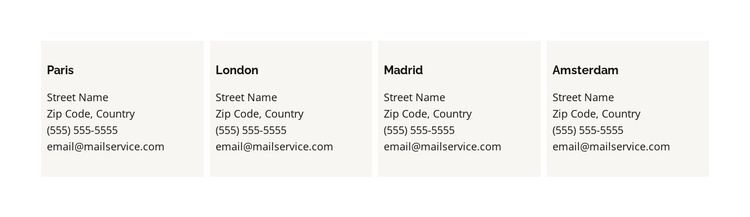
Parallel Location Records Keep Contact Content Clearly Separated
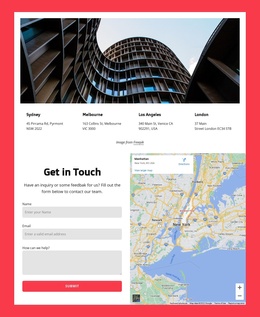
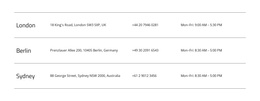
The city headings and supporting detail lines divide this contact section into four structured information units. Paris, London, Madrid, and Amsterdam each occupy a matching card, and every card includes an address, phone line, and email line. That consistent content model is useful when a Joomla-managed page needs one stable region for location information: each record can remain visually comparable while the surrounding site handles broader navigation and editorial content.
The four-column row establishes a clear relationship between the records. Equal spacing prevents one location from appearing to dominate, while the pale card backgrounds mark the boundaries of each content area. Dark, left-aligned type supports practical scanning, especially because address, phone, and email details are presented as compact text rather than as a visual gallery or interactive map. The absence of confirmed interaction means all four records are available in the initial view.
In a Joomla context, this block can serve as a reusable contact-information region within a page or article-oriented layout. The sample street name, postal details, phone number, and email should be replaced with the project’s actual location content, while the repeated card structure can remain intact. The section therefore offers organized CMS page content without being treated as a complete Joomla Template or site.
Customize with Nicepage
Open this ready-made template in the Joomla Page Builder and customize it visually in the Nicepage editor. Replace demo content, edit page sections, and adapt the design to your project without rebuilding the template from scratch.
Edit Template Offline
2. Create a new page or select existing
3. Click Add new block, search for id 6182769 and click enter
Edit Template Online
Create Awesome Websites


Free Nicepage Builder
Keywords
Work With This Template in Joomla
Customize and Install the Joomla Template
Start with this ready-made template instead of building the Joomla design from scratch. Customize its layout, content, typography, images, sections, and other design elements visually in the Nicepage application, then export and install the Joomla Template, Nicepage Extension, and supported content on your Joomla website.
Edit the Template Directly in Joomla
After installation, you can edit the Joomla Template directly in Joomla with the Nicepage Joomla Extension. Customize the Header, Footer, Colors, Fonts, typography, and Page Templates from the Joomla workflow while keeping the site design connected with your CMS content.
Edit Joomla Articles Visually
Use the Nicepage Joomla Extension to open and edit Joomla Articles visually from the Joomla Administrator. Change text, images, sections, layouts, and other page content in the Nicepage editor while continuing to manage the Articles through Joomla.
Joomla Content and Template Integration
Use the customized template together with Joomla Articles, module Positions, menus, forms, Blog Pages, and other supported CMS elements. With the Nicepage Extension used as the Site Style Source, shared design settings can be applied across Joomla Articles while Joomla continues to provide the CMS environment for managing site content.
This workflow combines a ready-made Joomla Template with visual customization, direct template editing in Joomla, and continued content management through the Nicepage Joomla Extension.