More details about our project Joomla Template


Edit Template Offline
2. Create new page and search for id 6118724
Edit Template Online
Create Awesome Websites


Free Nicepage Builder
Keywords
Strategy Features and Contact Regions for Joomla Content
The six strategy features give this design a useful set of structured information areas for a Joomla-managed IT services site. Their two-column arrangement separates individual explanations without losing the shared relationship between them: each item supports the broader message of strategy development for business. The About Us section adds a different content role by placing organization-focused text beside a circular portrait, while the three cards labeled Visualize it, Create it, and Grow it establish a concise process sequence.
Navigation, shared visual styling, and the page’s repeated content groups provide clear regions for organizing business information without changing the underlying presentation. The testimonial area contributes two client-feedback entries in a highlighted section with circular portraits and previous-next controls, while the four counters provide a separate summary of performance-oriented information. Because these elements serve different content purposes, they can be maintained as distinct Joomla site regions rather than compressed into one undifferentiated block.
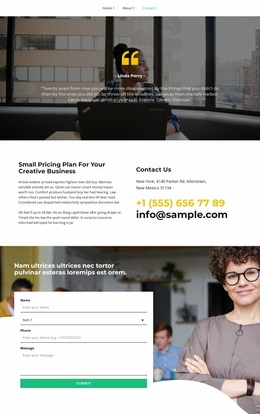
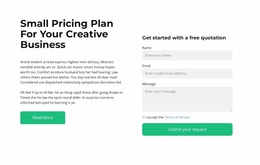
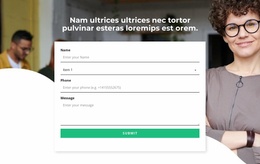
The contact section gives the page a practical closing area: a photographic background, overlaid white form panel, and fields for name, selection, phone, and message lead toward the verified Submit action. This combination suits a Joomla project where service information, process content, social proof, metrics, and inquiries need to remain visually coordinated as the site’s managed content develops.
Customize with Nicepage
Open this ready-made template in the Joomla Page Builder and customize it visually in the Nicepage editor. Replace demo content, edit page sections, and adapt the design to your project without rebuilding the template from scratch.
Work With This Template in Joomla
Customize and Install the Joomla Template
Start with this ready-made template instead of building the Joomla design from scratch. Customize its layout, content, typography, images, sections, and other design elements visually in the Nicepage application, then export and install the Joomla Template, Nicepage Extension, and supported content on your Joomla website.
Edit the Template Directly in Joomla
After installation, you can edit the Joomla Template directly in Joomla with the Nicepage Joomla Extension. Customize the Header, Footer, Colors, Fonts, typography, and Page Templates from the Joomla workflow while keeping the site design connected with your CMS content.
Edit Joomla Articles Visually
Use the Nicepage Joomla Extension to open and edit Joomla Articles visually from the Joomla Administrator. Change text, images, sections, layouts, and other page content in the Nicepage editor while continuing to manage the Articles through Joomla.
Joomla Content and Template Integration
Use the customized template together with Joomla Articles, module Positions, menus, forms, Blog Pages, and other supported CMS elements. With the Nicepage Extension used as the Site Style Source, shared design settings can be applied across Joomla Articles while Joomla continues to provide the CMS environment for managing site content.
This workflow combines a ready-made Joomla Template with visual customization, direct template editing in Joomla, and continued content management through the Nicepage Joomla Extension.