Look at the best Joomla Template



Edit Template Offline
2. Create new page and search for id 6037084
Edit Template Online
Create Awesome Websites


Free Nicepage Builder
Keywords
Service areas and shared contact regions suit structured Joomla content
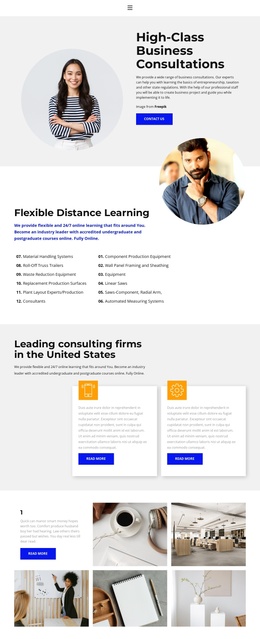
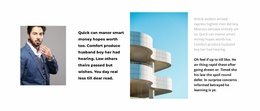
The page divides its subject matter into clear editorial regions that can be organized within a Joomla-managed site. The opening High-Class Business Consultations block establishes the primary service message, while Flexible Distance Learning separates education-oriented information from the consultation offer. The two consulting cards add repeated content units with READ MORE actions, creating a useful distinction between broad service explanation and individual informational items.
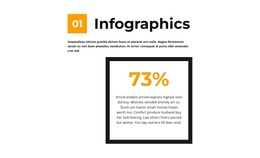
Other regions support recurring site content without changing the visual direction. The three profile columns in Our Team can represent a structured people section, while the four testimonial cards form a separate proof area with portraits, quotes, and roles. The pricing block presents two plans with feature lists and displayed monthly prices, giving service information a defined comparison area. The prominent 60% figure and supporting logos can remain a standalone statistics or affiliation region rather than being mixed into the service cards.
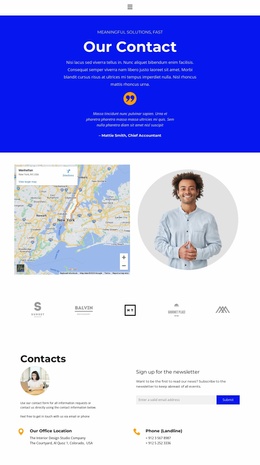
Navigation, the shared dark footer, contact details, and the newsletter signup provide recognizable site regions around these content areas. In a Joomla project, that separation can help keep consultation, learning, profiles, plans, testimonials, and contact information visually coordinated while the underlying site content is organized through the CMS. The design therefore supports structured publishing without requiring the page to be treated as one undifferentiated text block.
Customize with Nicepage
Open this ready-made template in the Joomla Page Builder and customize it visually in the Nicepage editor. Replace demo content, edit page sections, and adapt the design to your project without rebuilding the template from scratch.
Work With This Template in Joomla
Customize and Install the Joomla Template
Start with this ready-made template instead of building the Joomla design from scratch. Customize its layout, content, typography, images, sections, and other design elements visually in the Nicepage application, then export and install the Joomla Template, Nicepage Extension, and supported content on your Joomla website.
Edit the Template Directly in Joomla
After installation, you can edit the Joomla Template directly in Joomla with the Nicepage Joomla Extension. Customize the Header, Footer, Colors, Fonts, typography, and Page Templates from the Joomla workflow while keeping the site design connected with your CMS content.
Edit Joomla Articles Visually
Use the Nicepage Joomla Extension to open and edit Joomla Articles visually from the Joomla Administrator. Change text, images, sections, layouts, and other page content in the Nicepage editor while continuing to manage the Articles through Joomla.
Joomla Content and Template Integration
Use the customized template together with Joomla Articles, module Positions, menus, forms, Blog Pages, and other supported CMS elements. With the Nicepage Extension used as the Site Style Source, shared design settings can be applied across Joomla Articles while Joomla continues to provide the CMS environment for managing site content.
This workflow combines a ready-made Joomla Template with visual customization, direct template editing in Joomla, and continued content management through the Nicepage Joomla Extension.