Ranlings Research Joomla Template



A Dark Research Panel Anchors Four Automotive Content Regions
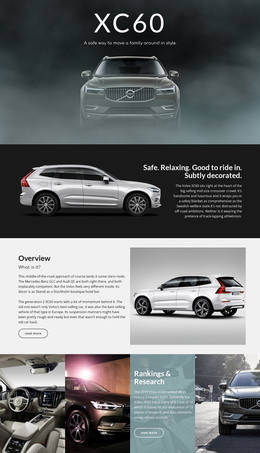
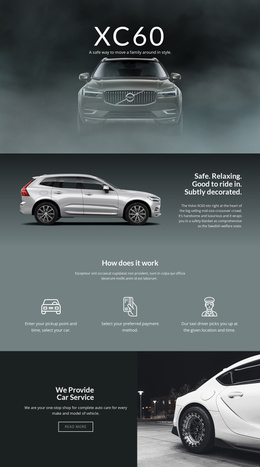
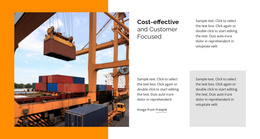
The image strip divides the section into four equal visual regions, but the second column gives the composition its informational center. A dark shaded treatment is layered over the automotive imagery, allowing the white “Rankings & Research” heading and supporting paragraph to remain distinct from the surrounding photographs. The outlined rounded read-more button completes that content area without adding another competing component.
For a Joomla-managed page, this arrangement can serve as a structured automotive information region: the heading identifies the subject, the paragraph carries the explanatory material, and the link points readers toward a fuller research destination elsewhere in the project. The sample paragraph mentions the 2019 Volvo XC60, a luxury compact SUV ranking, an 8.1 score, and 13 research and data elements. Those values are presentation content, so the section can be adapted to other rankings or research summaries while retaining the same content relationship.
The block remains one reusable page section rather than a Joomla Template itself. It can participate in a Joomla-oriented site as a visually defined content area beside other sections that handle broader navigation and related information. Nicepage supports Joomla content workflows, including the Nicepage Joomla workflow, but the main value here is the block’s own combination of structured research text, a clear link, and four automotive image panels.
Customize with Nicepage
Open this ready-made template in the Joomla Page Builder and customize it visually in the Nicepage editor. Replace demo content, edit page sections, and adapt the design to your project without rebuilding the template from scratch.
Edit Template Offline
2. Create a new page or select existing
3. Click Add new block, search for id 52421 and click enter
Edit Template Online
Create Awesome Websites


Free Nicepage Builder
Keywords
Work With This Template in Joomla
Customize and Install the Joomla Template
Start with this ready-made template instead of building the Joomla design from scratch. Customize its layout, content, typography, images, sections, and other design elements visually in the Nicepage application, then export and install the Joomla Template, Nicepage Extension, and supported content on your Joomla website.
Edit the Template Directly in Joomla
After installation, you can edit the Joomla Template directly in Joomla with the Nicepage Joomla Extension. Customize the Header, Footer, Colors, Fonts, typography, and Page Templates from the Joomla workflow while keeping the site design connected with your CMS content.
Edit Joomla Articles Visually
Use the Nicepage Joomla Extension to open and edit Joomla Articles visually from the Joomla Administrator. Change text, images, sections, layouts, and other page content in the Nicepage editor while continuing to manage the Articles through Joomla.
Joomla Content and Template Integration
Use the customized template together with Joomla Articles, module Positions, menus, forms, Blog Pages, and other supported CMS elements. With the Nicepage Extension used as the Site Style Source, shared design settings can be applied across Joomla Articles while Joomla continues to provide the CMS environment for managing site content.
This workflow combines a ready-made Joomla Template with visual customization, direct template editing in Joomla, and continued content management through the Nicepage Joomla Extension.