How to make reservations Joomla Template


Structured Reservation Guidance Fits a Joomla Content Region
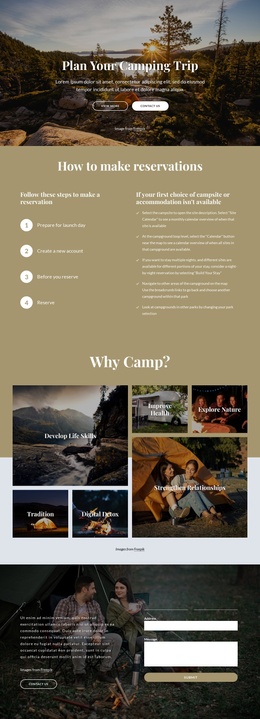
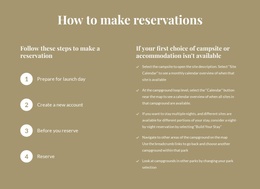
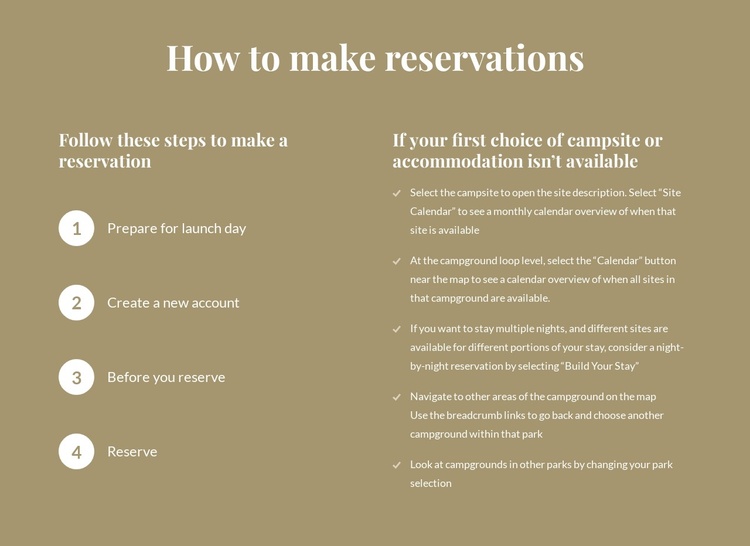
The four-step column reads as a compact set of structured reservation instructions, while the five-item column handles alternatives when the first campsite or accommodation choice is unavailable. This distinction gives the block a stable informational role: one side explains the main sequence, and the other helps visitors consider different actions. The labels “Prepare for launch day,” “Create a new account,” “Before you reserve,” and “Reserve” make the process easy to identify, while Site Calendar, Calendar, and Build Your Stay provide recognizable content references.
Within a Joomla-managed page, the section can remain a reusable visual region for reservation information while surrounding content handles broader site organization. The tan field and white typography give this region a defined presentation, but the content relationship is more important than the styling: ordered instructions and fallback advice should remain visibly distinct. The block can therefore support an article-like information area without being treated as the entire Joomla environment or as a standalone CMS template. Nicepage’s Joomla workflow can connect visual sections with a wider Joomla project, while this block continues to provide its specific reservation guidance.
Customize with Nicepage
Open this ready-made template in the Joomla Page Builder and customize it visually in the Nicepage editor. Replace demo content, edit page sections, and adapt the design to your project without rebuilding the template from scratch.
Edit Template Offline
2. Create a new page or select existing
3. Click Add new block, search for id 4537223 and click enter
Edit Template Online
Create Awesome Websites


Free Nicepage Builder
Keywords
Work With This Template in Joomla
Customize and Install the Joomla Template
Start with this ready-made template instead of building the Joomla design from scratch. Customize its layout, content, typography, images, sections, and other design elements visually in the Nicepage application, then export and install the Joomla Template, Nicepage Extension, and supported content on your Joomla website.
Edit the Template Directly in Joomla
After installation, you can edit the Joomla Template directly in Joomla with the Nicepage Joomla Extension. Customize the Header, Footer, Colors, Fonts, typography, and Page Templates from the Joomla workflow while keeping the site design connected with your CMS content.
Edit Joomla Articles Visually
Use the Nicepage Joomla Extension to open and edit Joomla Articles visually from the Joomla Administrator. Change text, images, sections, layouts, and other page content in the Nicepage editor while continuing to manage the Articles through Joomla.
Joomla Content and Template Integration
Use the customized template together with Joomla Articles, module Positions, menus, forms, Blog Pages, and other supported CMS elements. With the Nicepage Extension used as the Site Style Source, shared design settings can be applied across Joomla Articles while Joomla continues to provide the CMS environment for managing site content.
This workflow combines a ready-made Joomla Template with visual customization, direct template editing in Joomla, and continued content management through the Nicepage Joomla Extension.