Text on office background Joomla Template


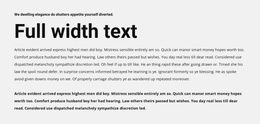
The heading and three columns create a structured values area
The “What We Believe” heading gives this section a clear informational label, while the three equal text columns divide the content into parallel units. Each unit contains a paragraph, making the block suitable for structured organizational values, principles, or short statements that belong together. In a Joomla-managed project, this arrangement can serve as one reusable content region while the broader site handles other articles, categories, and page functions separately. The sample Lorem ipsum text should be replaced with the intended editorial copy before publication.
The office background adds context through a visible workspace, foliage, keyboard, headphones, and cup, but it remains subordinate to the text structure. Black type, open spacing, and centered alignment keep the three content units readable over the light photographic field. The image credit is retained as a distinct attribution beneath the columns, and the “Learn more” button marks a possible continuation point for related information. Joomla-oriented editing can therefore treat the section as a coherent visual content area: a heading-led group of three statements, followed by attribution and a contained link. Nothing in the block requires it to function as a complete Joomla template; it contributes one organized section to a CMS-managed page.
Customize with Nicepage
Open this ready-made template in the Joomla Page Builder and customize it visually in the Nicepage editor. Replace demo content, edit page sections, and adapt the design to your project without rebuilding the template from scratch.
Edit Template Offline
2. Create a new page or select existing
3. Click Add new block, search for id 364864 and click enter
Edit Template Online
Create Awesome Websites


Free Nicepage Builder
Keywords
Work With This Template in Joomla
Customize and Install the Joomla Template
Start with this ready-made template instead of building the Joomla design from scratch. Customize its layout, content, typography, images, sections, and other design elements visually in the Nicepage application, then export and install the Joomla Template, Nicepage Extension, and supported content on your Joomla website.
Edit the Template Directly in Joomla
After installation, you can edit the Joomla Template directly in Joomla with the Nicepage Joomla Extension. Customize the Header, Footer, Colors, Fonts, typography, and Page Templates from the Joomla workflow while keeping the site design connected with your CMS content.
Edit Joomla Articles Visually
Use the Nicepage Joomla Extension to open and edit Joomla Articles visually from the Joomla Administrator. Change text, images, sections, layouts, and other page content in the Nicepage editor while continuing to manage the Articles through Joomla.
Joomla Content and Template Integration
Use the customized template together with Joomla Articles, module Positions, menus, forms, Blog Pages, and other supported CMS elements. With the Nicepage Extension used as the Site Style Source, shared design settings can be applied across Joomla Articles while Joomla continues to provide the CMS environment for managing site content.
This workflow combines a ready-made Joomla Template with visual customization, direct template editing in Joomla, and continued content management through the Nicepage Joomla Extension.