We help you grow and develop Joomla Template



Edit Template Offline
2. Create new page and search for id 344027
Edit Template Online
Create Awesome Websites


Free Nicepage Builder
Keywords
Consultancy, Support, and Leadership Form Clear Joomla Content Areas
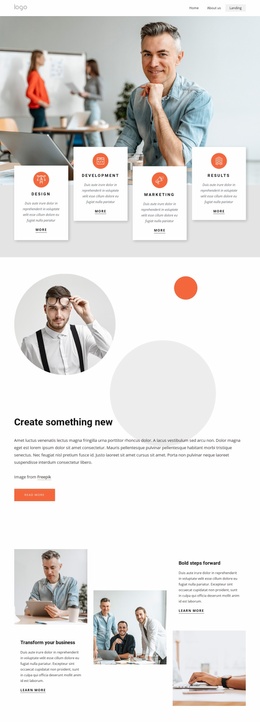
The three practice areas—Consultancy, General Services, and Our Support—give this design a useful division of recurring informational content. In a Joomla-managed project, these peer service cards can be treated as related content areas while the shared navigation keeps the main sections connected. The page does not depend on a single undifferentiated block of text: the service grouping, featured capabilities, and contact region already establish separate subjects for ongoing content organization.
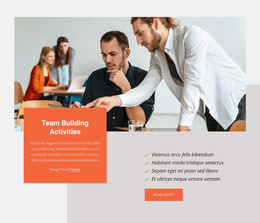
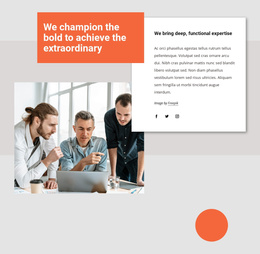
Leadership & Talent and Team Building Activities provide two additional editorial angles. The first uses a large business photograph beside a white information card and orange accent, while the second combines a team image, highlighted copy, and a four-item checklist. This distinction makes the page suitable for presenting structured consulting information alongside more specific capability descriptions. The expertise section adds a second social-link group, and the contact area includes another social group beside contact details and a form with name, email, and message inputs.
Together, these regions create a practical Joomla-oriented content map: navigation introduces the page, service content explains the organization’s areas, featured capabilities add depth, and the final contact section supports inquiries. The dark footer supplies a consistent closing region. Joomla can therefore organize the site’s managed content around these visible regions without requiring the design to be rebuilt as a flat collection of unrelated sections.
Customize with Nicepage
Open this ready-made template in the Joomla Page Builder and customize it visually in the Nicepage editor. Replace demo content, edit page sections, and adapt the design to your project without rebuilding the template from scratch.
Work With This Template in Joomla
Customize and Install the Joomla Template
Start with this ready-made template instead of building the Joomla design from scratch. Customize its layout, content, typography, images, sections, and other design elements visually in the Nicepage application, then export and install the Joomla Template, Nicepage Extension, and supported content on your Joomla website.
Edit the Template Directly in Joomla
After installation, you can edit the Joomla Template directly in Joomla with the Nicepage Joomla Extension. Customize the Header, Footer, Colors, Fonts, typography, and Page Templates from the Joomla workflow while keeping the site design connected with your CMS content.
Edit Joomla Articles Visually
Use the Nicepage Joomla Extension to open and edit Joomla Articles visually from the Joomla Administrator. Change text, images, sections, layouts, and other page content in the Nicepage editor while continuing to manage the Articles through Joomla.
Joomla Content and Template Integration
Use the customized template together with Joomla Articles, module Positions, menus, forms, Blog Pages, and other supported CMS elements. With the Nicepage Extension used as the Site Style Source, shared design settings can be applied across Joomla Articles while Joomla continues to provide the CMS environment for managing site content.
This workflow combines a ready-made Joomla Template with visual customization, direct template editing in Joomla, and continued content management through the Nicepage Joomla Extension.