Wearing trends in sports Joomla Template


Edit Template Offline
2. Create new page and search for id 30686
Edit Template Online
Create Awesome Websites


Free Nicepage Builder
Keywords
Activity Categories and Product Regions Create Structured Joomla Content Areas
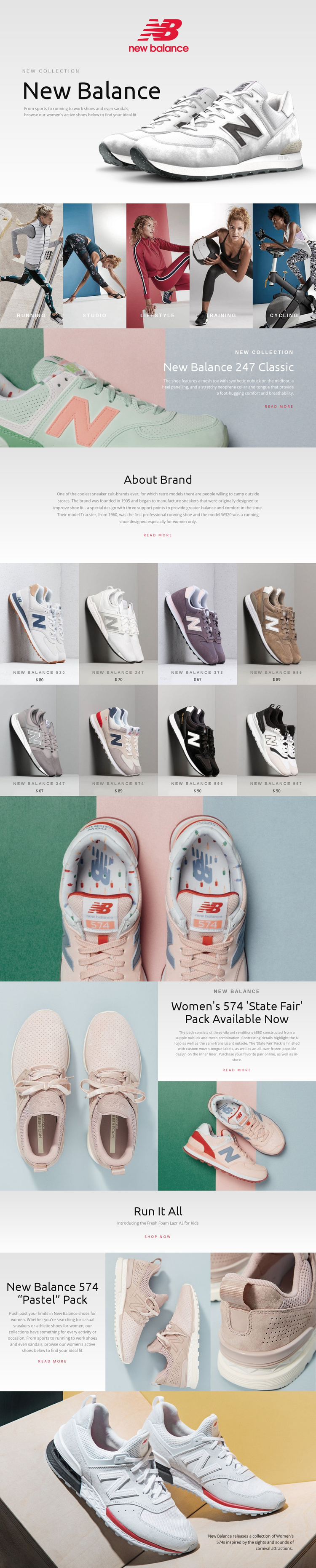
The five activity panels give the design a useful content division before visitors reach the individual footwear assortment. Running, Studio, Lifestyle, Training, and Cycling are presented as separate visual categories, so a Joomla-managed project could preserve the distinction between broad activity-oriented information and the products associated with each direction. The shared New Balance hero and centered promotional copy provide a consistent entry point, while the About Brand section supplies a separate informational region rather than mixing background content into the product grid.
The repeated product area offers another clear content group: eight named footwear tiles display shoes such as the New Balance 520, 247, 373, 996, 574, and 997 with prices shown in the design. Dedicated regions for the 247 Classic, Women's 574 State Fair Pack, and 574 Pastel Pack then give selected collections room for longer descriptions and supporting images. This division suits structured CMS content because recurring assortment items, editorial features, navigation, and brand information have visibly different roles. The Fresh Foam Lazr V2 for Kids promotion adds a separate audience-oriented message near the end, while Read more and Shop now links connect the content regions without requiring one undifferentiated page block.
Customize with Nicepage
Open this ready-made template in the Joomla Page Builder and customize it visually in the Nicepage editor. Replace demo content, edit page sections, and adapt the design to your project without rebuilding the template from scratch.
Work With This Template in Joomla
Customize and Install the Joomla Template
Start with this ready-made template instead of building the Joomla design from scratch. Customize its layout, content, typography, images, sections, and other design elements visually in the Nicepage application, then export and install the Joomla Template, Nicepage Extension, and supported content on your Joomla website.
Edit the Template Directly in Joomla
After installation, you can edit the Joomla Template directly in Joomla with the Nicepage Joomla Extension. Customize the Header, Footer, Colors, Fonts, typography, and Page Templates from the Joomla workflow while keeping the site design connected with your CMS content.
Edit Joomla Articles Visually
Use the Nicepage Joomla Extension to open and edit Joomla Articles visually from the Joomla Administrator. Change text, images, sections, layouts, and other page content in the Nicepage editor while continuing to manage the Articles through Joomla.
Joomla Content and Template Integration
Use the customized template together with Joomla Articles, module Positions, menus, forms, Blog Pages, and other supported CMS elements. With the Nicepage Extension used as the Site Style Source, shared design settings can be applied across Joomla Articles while Joomla continues to provide the CMS environment for managing site content.
This workflow combines a ready-made Joomla Template with visual customization, direct template editing in Joomla, and continued content management through the Nicepage Joomla Extension.