Business structuring Joomla Template


Structured Asset Planning Content Within a Joomla Page
The section’s heading and supporting subheading create a defined informational unit around business structuring. The copy begins with an efficient and rational model of asset ownership and business activity, then connects that idea to possession and use of assets, cash-flow management, and asset security. A distinction between long-term and short-term goals gives the material an internal framework, while references to international interaction show that the discussion extends beyond a single local arrangement.
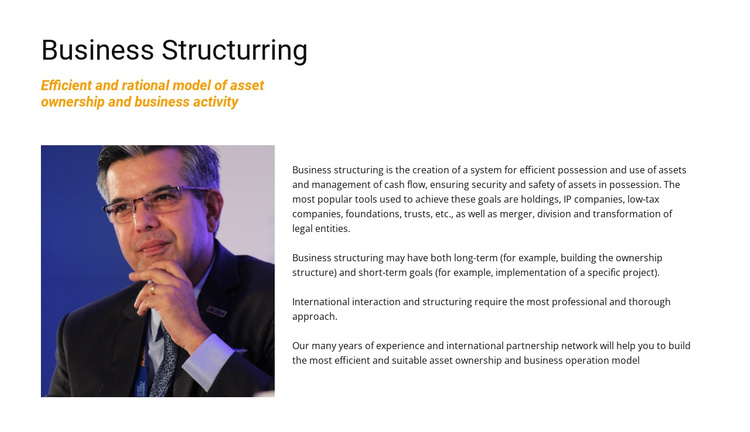
The portrait on the left and the explanatory copy on the right divide the content into two complementary roles. The image provides a human focal point without replacing the written explanation, and the multi-paragraph text carries the detailed subject matter. Holdings, IP companies, low-tax companies, foundations, trusts, mergers, divisions, and transformations of legal entities appear as examples of the structuring vocabulary used by the section. The white background, dark heading, orange italic accent, and blue-toned portrait keep this information region visually identifiable.
Within a Joomla-managed page, the block can serve as a reusable professional-services content area while the broader project manages other editorial sections around it. Its structure suits article-like information that needs a clear title, introductory statement, visual reference, and sustained explanation. Joomla content can surround or accompany this section without changing its central role. The block remains one page region, allowing neighboring sections to handle related topics, practical contact information, or further service detail.
Customize with Nicepage
Open this ready-made template in the Joomla Page Builder and customize it visually in the Nicepage editor. Replace demo content, edit page sections, and adapt the design to your project without rebuilding the template from scratch.
Edit Template Offline
2. Create a new page or select existing
3. Click Add new block, search for id 300884 and click enter
Edit Template Online
Create Awesome Websites


Free Nicepage Builder
Keywords
Work With This Template in Joomla
Customize and Install the Joomla Template
Start with this ready-made template instead of building the Joomla design from scratch. Customize its layout, content, typography, images, sections, and other design elements visually in the Nicepage application, then export and install the Joomla Template, Nicepage Extension, and supported content on your Joomla website.
Edit the Template Directly in Joomla
After installation, you can edit the Joomla Template directly in Joomla with the Nicepage Joomla Extension. Customize the Header, Footer, Colors, Fonts, typography, and Page Templates from the Joomla workflow while keeping the site design connected with your CMS content.
Edit Joomla Articles Visually
Use the Nicepage Joomla Extension to open and edit Joomla Articles visually from the Joomla Administrator. Change text, images, sections, layouts, and other page content in the Nicepage editor while continuing to manage the Articles through Joomla.
Joomla Content and Template Integration
Use the customized template together with Joomla Articles, module Positions, menus, forms, Blog Pages, and other supported CMS elements. With the Nicepage Extension used as the Site Style Source, shared design settings can be applied across Joomla Articles while Joomla continues to provide the CMS environment for managing site content.
This workflow combines a ready-made Joomla Template with visual customization, direct template editing in Joomla, and continued content management through the Nicepage Joomla Extension.