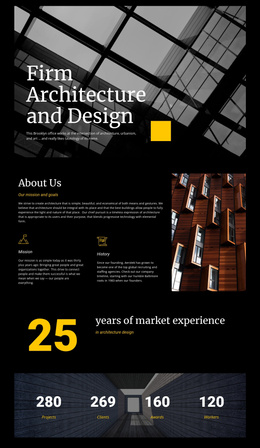
Design of Architecture Joomla Template



Edit Template Offline
2. Create new page and search for id 27023
Edit Template Online
Create Awesome Websites


Free Nicepage Builder
Keywords
Rankings, Projects, and Awards Divide the Editorial Content
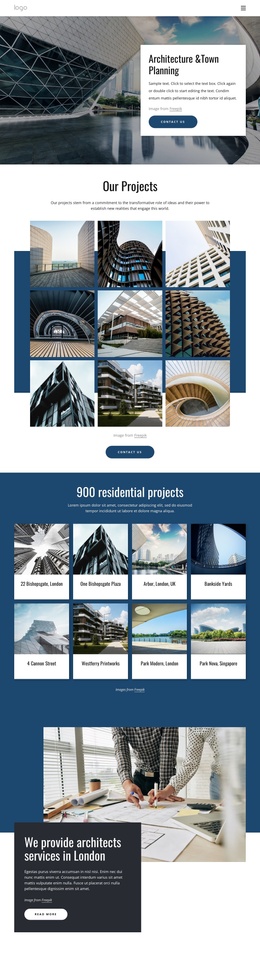
The template separates its subject matter into recurring information regions that suit a structured CMS publication. The World Design Rankings section can serve as a focused ranking story, while the Sheppard Robson feature identifies a specific project—Siemens Middle East Headquarters in Masdar City—with its own image, title, description, and action. These are different editorial subjects, but the shared split arrangement keeps them within one recognizable site style.
The three matching cards provide another useful division: Planning, Best Projects, and Our Awards act as topic-level entry points rather than competing with the longer stories. The later emerging-architecture shortlist and A’ Design Award feature extend the page’s coverage into current selections and international recognition. The verified award content refers to designs from 100 countries and more than 1,960 winners, giving that section a clear informational role without requiring the surrounding demo text to be treated as factual business copy.
The compact navigation, repeated article panels, further-reading prompt, and shared social footer together suggest reusable site regions for a Joomla project. They allow editorial content to be grouped into coherent sections while the architecture-focused visual language remains consistent. The design therefore supports structured news and project presentation without claiming that specific Joomla articles or modules already exist in the template.
Customize with Nicepage
Open this ready-made template in the Joomla Page Builder and customize it visually in the Nicepage editor. Replace demo content, edit page sections, and adapt the design to your project without rebuilding the template from scratch.
Work With This Template in Joomla
Customize and Install the Joomla Template
Start with this ready-made template instead of building the Joomla design from scratch. Customize its layout, content, typography, images, sections, and other design elements visually in the Nicepage application, then export and install the Joomla Template, Nicepage Extension, and supported content on your Joomla website.
Edit the Template Directly in Joomla
After installation, you can edit the Joomla Template directly in Joomla with the Nicepage Joomla Extension. Customize the Header, Footer, Colors, Fonts, typography, and Page Templates from the Joomla workflow while keeping the site design connected with your CMS content.
Edit Joomla Articles Visually
Use the Nicepage Joomla Extension to open and edit Joomla Articles visually from the Joomla Administrator. Change text, images, sections, layouts, and other page content in the Nicepage editor while continuing to manage the Articles through Joomla.
Joomla Content and Template Integration
Use the customized template together with Joomla Articles, module Positions, menus, forms, Blog Pages, and other supported CMS elements. With the Nicepage Extension used as the Site Style Source, shared design settings can be applied across Joomla Articles while Joomla continues to provide the CMS environment for managing site content.
This workflow combines a ready-made Joomla Template with visual customization, direct template editing in Joomla, and continued content management through the Nicepage Joomla Extension.