Two vectors of development Joomla Template


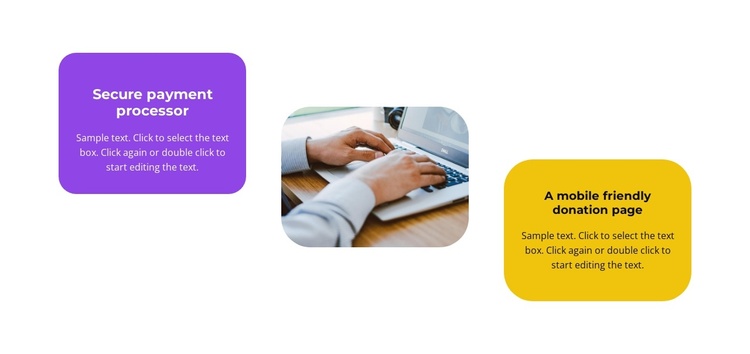
Two Colored Feature Cards Shape a Structured Joomla Content Region
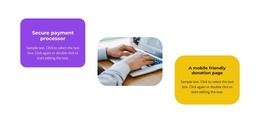
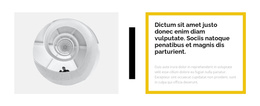
The purple “Secure payment processor” card and the yellow “A mobile friendly donation page” card divide the section into two clearly labeled information units. Their centered headings and supporting paragraphs make each feature readable as a separate service capability, while the rounded photograph between them provides a visual pause rather than another text-heavy content group. The three-column arrangement keeps both messages balanced around one central image.
Within a Joomla-managed page, this section can function as a reusable feature region for structured information about payment or donation services. The block is especially suited to a place where visitors need to compare two capabilities without moving through a long list. Its static interaction keeps the content immediately visible, so the surrounding Joomla content can handle broader navigation, related explanations, or later service details.
The purple-and-yellow contrast also gives the section a recognizable visual boundary inside an article-like or service-oriented page. The image remains supportive rather than competing with either feature card, helping the two headings retain the main informational role. This makes the block useful as a stable CMS page section while the wider Joomla project manages other content areas around it.
Customize with Nicepage
Open this ready-made template in the Joomla Page Builder and customize it visually in the Nicepage editor. Replace demo content, edit page sections, and adapt the design to your project without rebuilding the template from scratch.
Edit Template Offline
2. Create a new page or select existing
3. Click Add new block, search for id 2648795 and click enter
Edit Template Online
Create Awesome Websites


Free Nicepage Builder
Keywords
Work With This Template in Joomla
Customize and Install the Joomla Template
Start with this ready-made template instead of building the Joomla design from scratch. Customize its layout, content, typography, images, sections, and other design elements visually in the Nicepage application, then export and install the Joomla Template, Nicepage Extension, and supported content on your Joomla website.
Edit the Template Directly in Joomla
After installation, you can edit the Joomla Template directly in Joomla with the Nicepage Joomla Extension. Customize the Header, Footer, Colors, Fonts, typography, and Page Templates from the Joomla workflow while keeping the site design connected with your CMS content.
Edit Joomla Articles Visually
Use the Nicepage Joomla Extension to open and edit Joomla Articles visually from the Joomla Administrator. Change text, images, sections, layouts, and other page content in the Nicepage editor while continuing to manage the Articles through Joomla.
Joomla Content and Template Integration
Use the customized template together with Joomla Articles, module Positions, menus, forms, Blog Pages, and other supported CMS elements. With the Nicepage Extension used as the Site Style Source, shared design settings can be applied across Joomla Articles while Joomla continues to provide the CMS environment for managing site content.
This workflow combines a ready-made Joomla Template with visual customization, direct template editing in Joomla, and continued content management through the Nicepage Joomla Extension.