Fine oriental restaurant Joomla Template


Edit Template Offline
2. Create new page and search for id 23176
Edit Template Online
Create Awesome Websites


Free Nicepage Builder
Keywords
Food Concept Sections Create Structured Restaurant Content Areas
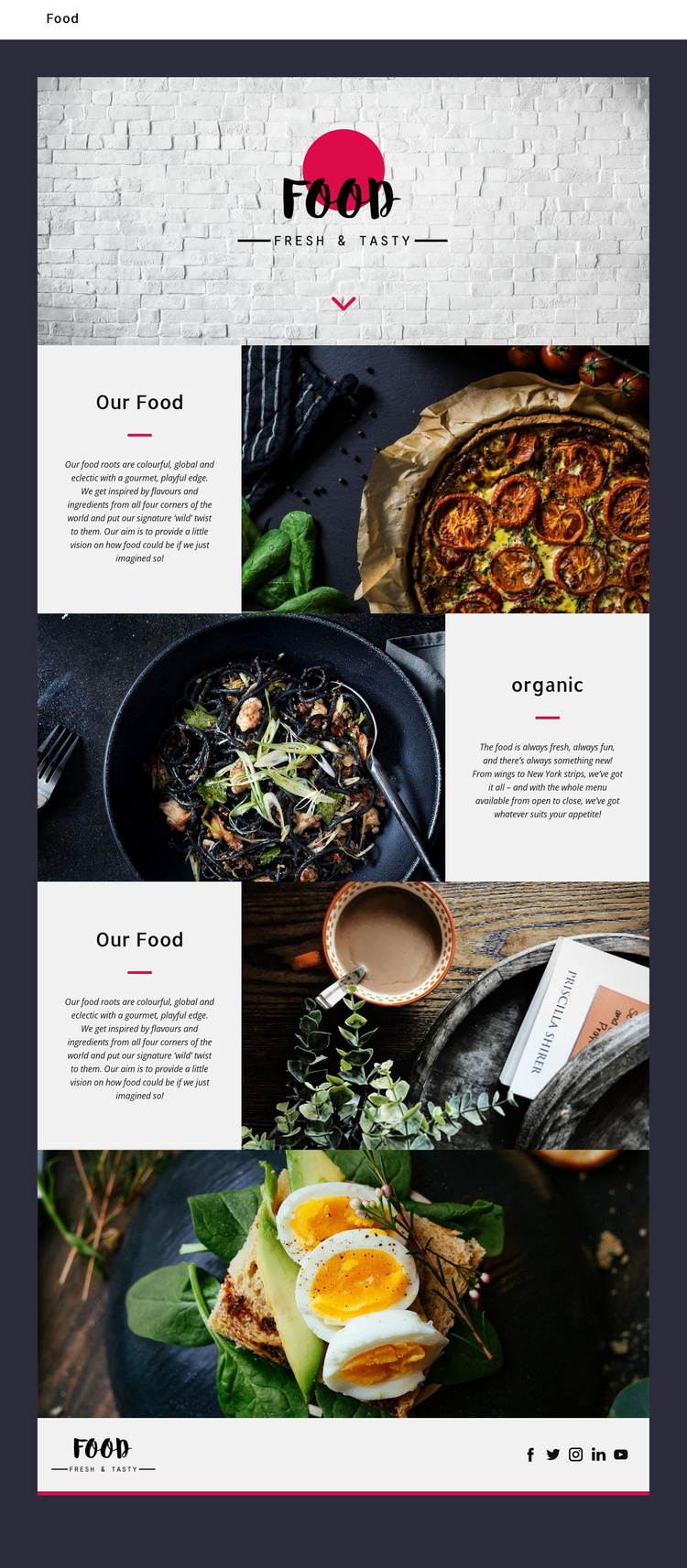
The page divides the restaurant story into recognizable content regions that can be understood as managed site content. The hero carries the Food mark and introductory identity, while the first “Our Food” panel explains the colorful, global, and eclectic concept beside a dish photograph. The “organic” section provides a separate offering-focused area, using freshness and examples such as wings and New York strips to give the food description a different emphasis. A second “Our Food” section repeats the concept with another image-led arrangement.
This organization is useful for a Joomla project because the design does not rely on one uninterrupted text block. It separates brand introduction, food concept, offering detail, visual emphasis, and social presence into areas that can remain coordinated as content changes. The full-width photograph of a plated dish with greens and eggs can function as a visual feature between the descriptive regions, while the compact footer gathers the Food mark and five social links into a shared closing area.
The navigation component and repeated section pattern also give the page a clear content hierarchy for a CMS-managed restaurant site. The template does not prove that Joomla Articles, categories, or module positions already exist. Instead, its verified regions show how restaurant information, imagery, navigation, and social destinations can be organized within Joomla while preserving the design’s editorial rhythm.
Customize with Nicepage
Open this ready-made template in the Joomla Page Builder and customize it visually in the Nicepage editor. Replace demo content, edit page sections, and adapt the design to your project without rebuilding the template from scratch.
Work With This Template in Joomla
Customize and Install the Joomla Template
Start with this ready-made template instead of building the Joomla design from scratch. Customize its layout, content, typography, images, sections, and other design elements visually in the Nicepage application, then export and install the Joomla Template, Nicepage Extension, and supported content on your Joomla website.
Edit the Template Directly in Joomla
After installation, you can edit the Joomla Template directly in Joomla with the Nicepage Joomla Extension. Customize the Header, Footer, Colors, Fonts, typography, and Page Templates from the Joomla workflow while keeping the site design connected with your CMS content.
Edit Joomla Articles Visually
Use the Nicepage Joomla Extension to open and edit Joomla Articles visually from the Joomla Administrator. Change text, images, sections, layouts, and other page content in the Nicepage editor while continuing to manage the Articles through Joomla.
Joomla Content and Template Integration
Use the customized template together with Joomla Articles, module Positions, menus, forms, Blog Pages, and other supported CMS elements. With the Nicepage Extension used as the Site Style Source, shared design settings can be applied across Joomla Articles while Joomla continues to provide the CMS environment for managing site content.
This workflow combines a ready-made Joomla Template with visual customization, direct template editing in Joomla, and continued content management through the Nicepage Joomla Extension.