Limited Growth Potential Joomla Template



Edit Template Offline
2. Create new page and search for id 2291564
Edit Template Online
Create Awesome Websites


Free Nicepage Builder
Keywords
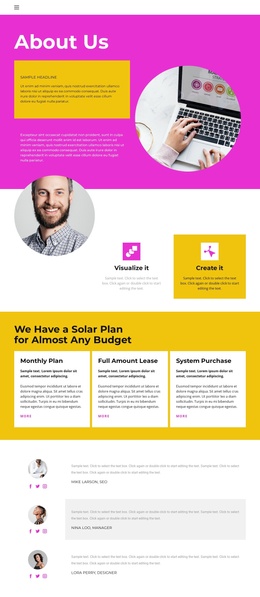
Solar plans and team regions create a structured Joomla content foundation
The three plan labels—Monthly Plan, Full Amount Lease, and System Purchase—give the page a clear group of related offering areas rather than a single undivided text section. That organization can help a Joomla site separate structured service information from the surrounding About Us introduction, feature cards, and testimonial-style content. The two team profiles add another recognizable content region, while the visa-related phone callout provides a distinct contact-focused area without changing the page’s overall visual direction.
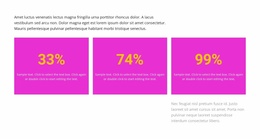
The lower half broadens the content model. Flexible Distance Learning appears beside numbered equipment lists, followed by percentage highlights, a six-image architectural gallery, and a closing contact area with a displayed New York address. Together, these sections provide several reusable regions for informational content, visual media, service descriptions, and contact details. The navigation header and mobile-navigation behavior also establish a shared route through the page, while the dark footer gives the document a defined endpoint. In Joomla, this arrangement can support a CMS-managed design where related information remains divided into recognizable site regions and the visual system continues across menus, content areas, and contact presentation. The supplied names, percentages, phone numbers, and address should be treated as replaceable sample content, while the section relationships remain useful structural evidence.
Customize with Nicepage
Open this ready-made template in the Joomla Page Builder and customize it visually in the Nicepage editor. Replace demo content, edit page sections, and adapt the design to your project without rebuilding the template from scratch.
Work With This Template in Joomla
Customize and Install the Joomla Template
Start with this ready-made template instead of building the Joomla design from scratch. Customize its layout, content, typography, images, sections, and other design elements visually in the Nicepage application, then export and install the Joomla Template, Nicepage Extension, and supported content on your Joomla website.
Edit the Template Directly in Joomla
After installation, you can edit the Joomla Template directly in Joomla with the Nicepage Joomla Extension. Customize the Header, Footer, Colors, Fonts, typography, and Page Templates from the Joomla workflow while keeping the site design connected with your CMS content.
Edit Joomla Articles Visually
Use the Nicepage Joomla Extension to open and edit Joomla Articles visually from the Joomla Administrator. Change text, images, sections, layouts, and other page content in the Nicepage editor while continuing to manage the Articles through Joomla.
Joomla Content and Template Integration
Use the customized template together with Joomla Articles, module Positions, menus, forms, Blog Pages, and other supported CMS elements. With the Nicepage Extension used as the Site Style Source, shared design settings can be applied across Joomla Articles while Joomla continues to provide the CMS environment for managing site content.
This workflow combines a ready-made Joomla Template with visual customization, direct template editing in Joomla, and continued content management through the Nicepage Joomla Extension.