Private elementary education Joomla Template


Edit Template Offline
2. Create new page and search for id 16882
Edit Template Online
Create Awesome Websites


Free Nicepage Builder
Keywords
Registration, program, and safety regions suit structured CMS content
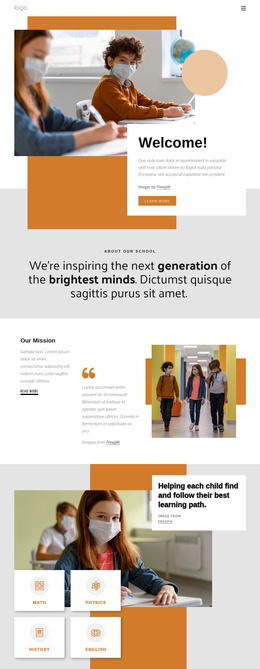
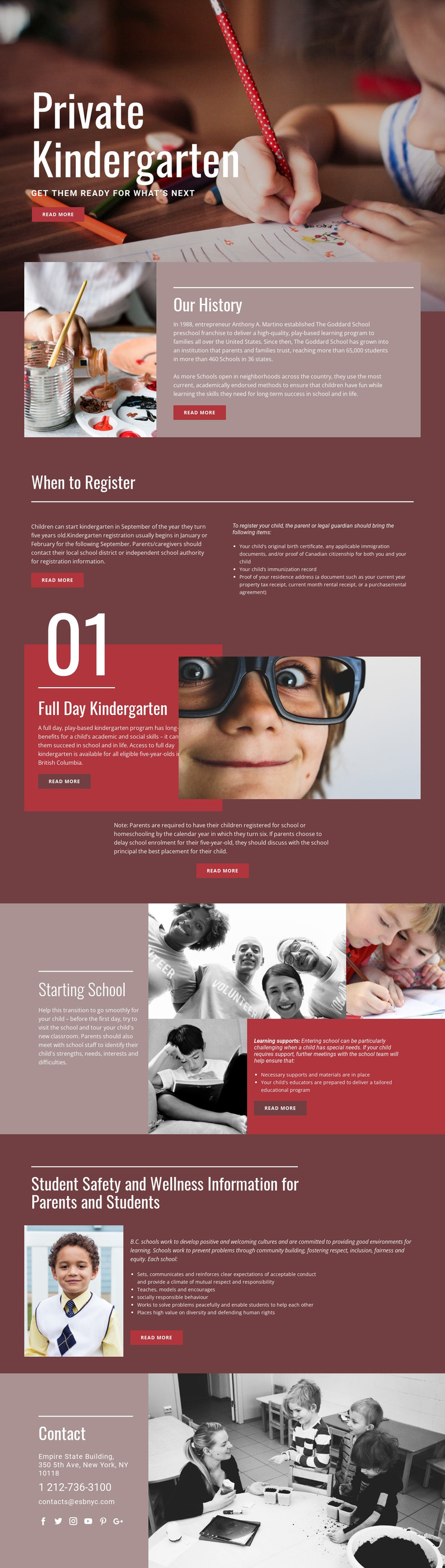
The page separates several recurring information subjects into recognizable regions that can be organized within a Joomla-managed site. When to Register is especially clear: its heading introduces timing guidance, while the adjacent columns distinguish explanatory content from a three-item list of required registration documents. That division gives structured family information a defined place without confusing it with the school’s history or program description.
Full Day Kindergarten and Starting School create additional content regions with different editorial roles. The former combines a program explanation, child photography, an eligibility reference to British Columbia, and an enrollment note. The latter brings together transition planning, learning supports, necessary materials, and a tailored educational program beside a classroom collage. These areas could remain visually coordinated while their information is maintained as separate site content.
Student Safety and Wellness provides another structured region, using a focused image and a larger text panel to present positive school culture, socially responsible behaviour, inclusion, and related guidance. The shared Contact area then groups address, phone, email, and social links at the end of the page. Together, these relationships give a Joomla project clear regions for navigation and managed information without claiming that particular Joomla Articles or modules already exist in the template.
Customize with Nicepage
Open this ready-made template in the Joomla Page Builder and customize it visually in the Nicepage editor. Replace demo content, edit page sections, and adapt the design to your project without rebuilding the template from scratch.
Work With This Template in Joomla
Customize and Install the Joomla Template
Start with this ready-made template instead of building the Joomla design from scratch. Customize its layout, content, typography, images, sections, and other design elements visually in the Nicepage application, then export and install the Joomla Template, Nicepage Extension, and supported content on your Joomla website.
Edit the Template Directly in Joomla
After installation, you can edit the Joomla Template directly in Joomla with the Nicepage Joomla Extension. Customize the Header, Footer, Colors, Fonts, typography, and Page Templates from the Joomla workflow while keeping the site design connected with your CMS content.
Edit Joomla Articles Visually
Use the Nicepage Joomla Extension to open and edit Joomla Articles visually from the Joomla Administrator. Change text, images, sections, layouts, and other page content in the Nicepage editor while continuing to manage the Articles through Joomla.
Joomla Content and Template Integration
Use the customized template together with Joomla Articles, module Positions, menus, forms, Blog Pages, and other supported CMS elements. With the Nicepage Extension used as the Site Style Source, shared design settings can be applied across Joomla Articles while Joomla continues to provide the CMS environment for managing site content.
This workflow combines a ready-made Joomla Template with visual customization, direct template editing in Joomla, and continued content management through the Nicepage Joomla Extension.