Gallery with creative photo Joomla Template



Three Photographic Tiles Create a Structured Visual Content Region
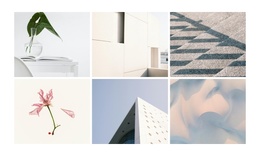
The gallery separates its visual content into three stable image units, making the section easy to understand as a structured region within a Joomla-managed page. The equal-height portrait tiles occupy a three-column layout across the available width, while minimal spacing keeps the photographs visually connected. This arrangement can hold a gallery or portfolio-style content area without requiring the surrounding CMS page to adopt the same composition everywhere.
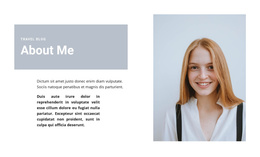
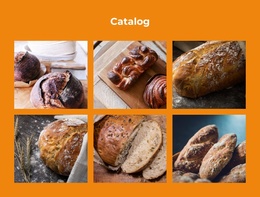
The individual images give the region internal variety. A rotated portrait appears in the first tile, the center tile pairs a halved orange with a red background, and the third tile shows two smiling people in a close-up portrait. These distinct subjects and color contrasts create a sequence that visitors can scan from left to right. Hover overlay areas remain tied to each image tile, and the confirmed lightbox behavior gives the visual content a second viewing level when a visitor selects an image.
In Joomla-oriented use, this block can remain a reusable visual section alongside other managed content regions. A broader page can supply its own headings, article-like text, navigation, or additional sections, while this gallery preserves the specific organization of three image items in one coherent display. Its value is the clear separation and presentation of visual entries, not a claim to be a standalone Joomla template.
Customize with Nicepage
Open this ready-made template in the Joomla Page Builder and customize it visually in the Nicepage editor. Replace demo content, edit page sections, and adapt the design to your project without rebuilding the template from scratch.
Edit Template Offline
2. Create a new page or select existing
3. Click Add new block, search for id 117454 and click enter
Edit Template Online
Create Awesome Websites


Free Nicepage Builder
Keywords
Work With This Template in Joomla
Customize and Install the Joomla Template
Start with this ready-made template instead of building the Joomla design from scratch. Customize its layout, content, typography, images, sections, and other design elements visually in the Nicepage application, then export and install the Joomla Template, Nicepage Extension, and supported content on your Joomla website.
Edit the Template Directly in Joomla
After installation, you can edit the Joomla Template directly in Joomla with the Nicepage Joomla Extension. Customize the Header, Footer, Colors, Fonts, typography, and Page Templates from the Joomla workflow while keeping the site design connected with your CMS content.
Edit Joomla Articles Visually
Use the Nicepage Joomla Extension to open and edit Joomla Articles visually from the Joomla Administrator. Change text, images, sections, layouts, and other page content in the Nicepage editor while continuing to manage the Articles through Joomla.
Joomla Content and Template Integration
Use the customized template together with Joomla Articles, module Positions, menus, forms, Blog Pages, and other supported CMS elements. With the Nicepage Extension used as the Site Style Source, shared design settings can be applied across Joomla Articles while Joomla continues to provide the CMS environment for managing site content.
This workflow combines a ready-made Joomla Template with visual customization, direct template editing in Joomla, and continued content management through the Nicepage Joomla Extension.