Car wash faq Html Code Example


Edit Template Offline
2. Create new page and search for id 6328983
Edit Template Online
Create Awesome Websites


Free Nicepage Builder
Keywords
Five Car Wash Questions Create Clear Extension Zones
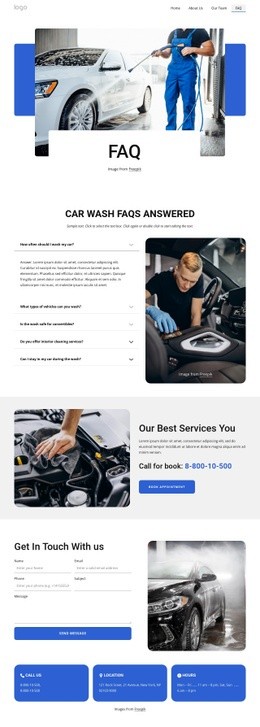
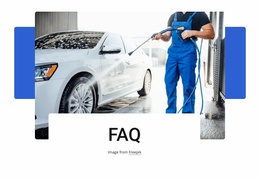
The five-question accordion gives the page a defined information area for vehicle-washing answers, while the adjacent cleaning photograph provides a visual reference for the service context. That combination leaves a clear boundary between explanatory content and supporting imagery. A project that needs functionality beyond the existing question-and-answer presentation could extend the relevant area without changing the relationship between the FAQ content and the rest of the page.
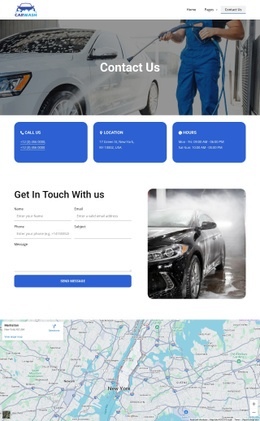
The service promotion below introduces rim cleaning, hot wax, express wash, door-trim cleaning, tyre shine, and high-pressure rinsing before presenting a booking button. The contact section then adds name, email, phone, subject, and message inputs beside three contact-information cards, giving potential integration points for appointment systems, external scheduling tools, or service-specific widgets. The rendered map supplies another defined content zone for location-related functionality. These existing areas make custom extension more deliberate: an added component can support booking, service selection, or location information next to the section where visitors already expect it, rather than being placed in an unrelated part of the page. The same approach preserves the established visual sequence while allowing project-specific functionality to remain attached to the most relevant content area.
Customize with Nicepage
Open this ready-made template in the HTML Code Generator and customize it visually in the Nicepage editor. Replace demo content, edit page sections, and adapt the design to your project without rebuilding the template from scratch.
Extend This Page With Custom HTML Code
Insert Code With the HTML Element
Use the HTML Element to add custom code directly to a Block in the Nicepage editor. Enter the required markup in the Code field when the page needs content or functionality that is not available through the standard page elements.
Place the HTML Element in the Layout
Treat the HTML Element as part of the visual page composition. Adjust its position, width, height, alignment, and margins to place the custom content where it belongs alongside text, images, buttons, and other elements. This makes it possible to combine visually edited sections with project-specific code without separating the custom element from the rest of the layout.
Add HTML, CSS, JavaScript, and External Components
The HTML Element supports HTML, CSS, and JavaScript, allowing you to extend the page with custom markup and interactive functionality. It can also be used to embed custom code and third-party components, such as social feeds, advertising code, widgets, or other external functionality required by the project.
This workflow makes the template useful for projects that need a visual page editor together with custom HTML code, JavaScript, embedded components, and functionality beyond the standard page elements.

Design Set (21)
-

-
Customize Any TemplateDownload
-
-
-
-
-
-
-
-
-
-
-









More from Cars & Transportation Html Code Examples
-
Customize Any TemplateDownload