Climb the Mountain WordPress Theme


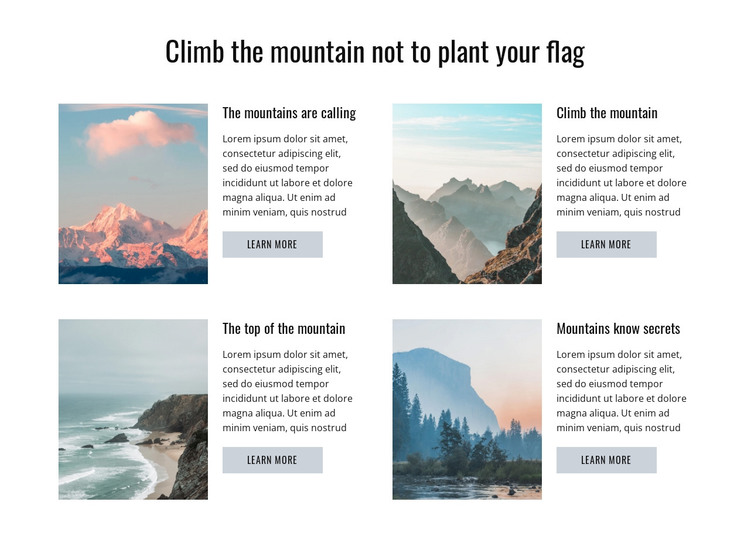
Four stable content units fit a WordPress-managed page section
The section reads as durable page content rather than as a time-sensitive feed. Its heading introduces a mountain-focused subject, and the four repeated cards organize related ideas under clear labels: The mountains are calling, Climb the mountain, The top of the mountain, and Mountains know secrets. Each card combines a landscape image, descriptive paragraph, and learn more link, giving a WordPress-managed page a defined visual and editorial region that can remain consistent while surrounding content develops.
The two-column grid supports this interpretation by grouping the cards into a compact section rather than presenting them as a stream of posts. The image beside each text group keeps the visual subject connected to its explanation, while the light gray links provide an optional route to deeper content. The white background and muted pastel photography can sit within a broader theme without requiring the section to determine the design of every page. In a WordPress-oriented project, the block could therefore serve as permanent mountain or inspiration content on a page, with other CMS-managed areas handling unrelated information. Nicepage’s WordPress workflow can support page content in a wider site structure, but the section itself remains a reusable visual content area, not a standalone theme or complete website.
Customize with Nicepage
Open this ready-made template in the WordPress Website Builder and customize it visually in the Nicepage editor. Replace demo content, edit page sections, and adapt the design to your project without rebuilding the template from scratch.
Edit Template Offline
2. Create a new page or select existing
3. Click Add new block, search for id 85978 and click enter
Edit Template Online
Create Awesome Websites


Free Nicepage Builder
Keywords
Manage and Edit This Theme in WordPress
Customize and Install the WordPress Theme
Start with this ready-made theme instead of building the WordPress design from scratch. Customize its layout, content, typography, images, sections, and other design elements visually in Nicepage editor, then export and install the WordPress Theme, Plugin, and Pages on your WordPress site. The Nicepage WordPress Plugin lets you continue working with the site after installation.
Edit the Theme Directly in WordPress
After installation, you can edit the WordPress Theme directly in WordPress with the Nicepage WordPress Plugin. Use Site Style to customize site Colors, Fonts, Header, Footer, Blog, and Post Page Templates while working within your WordPress website.
Edit WordPress Pages Visually
Use the Nicepage WordPress Plugin to edit page content directly from the WordPress admin area. Open a WordPress Page with Nicepage and visually change its text, images, sections, and other page elements while continuing to manage the Page through WordPress.
WordPress Content and Theme Integration
Use the customized theme with WordPress Pages, Posts, Blog and Post Templates, menus, widgets, and other CMS-managed content. Shared theme elements such as Colors, Fonts, Header, Footer, Blog, and Post Page Templates can be managed as part of the overall site design, while WordPress provides the CMS environment for managing site content.
This workflow combines a ready-made WordPress Theme with visual customization, direct theme editing in WordPress, and continued content management through the Nicepage WordPress Plugin.