The goal of work WordPress Theme


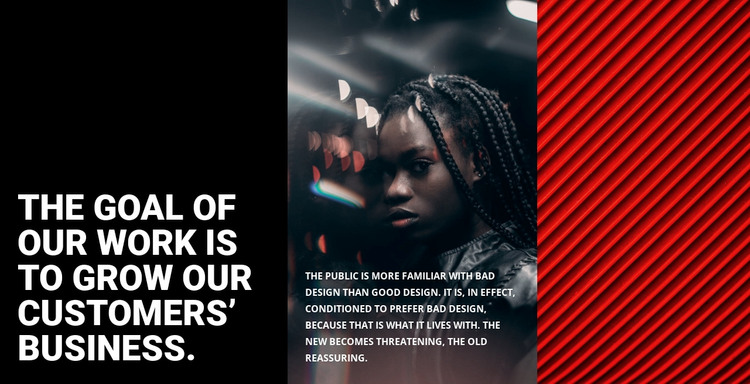
A Stable Three-Panel Content Area for WordPress Pages
The heading panel gives this section a clear page-content identity. Its black background and large white type concentrate attention on the statement about growing customers’ business, making the message readable before the supporting material is considered. The center panel then combines photography with a white paragraph, allowing explanation to sit directly within the visual field instead of interrupting the three-panel rhythm. On the right, red diagonal lines provide an abstract image treatment that balances the photographic middle without introducing another text-heavy region.
For a WordPress-managed page, this block can be treated as stable, publishable about or introductory content. The heading and paragraph form the durable message, while the two image-backed panels provide the visual framing that distinguishes the section from a standard text column. It can sit within page content managed around a broader theme, with other sections handling related information, navigation, or contact tasks. The block’s role is therefore a contained content region, not a complete theme or page structure.
The static presentation suits content that should be visible at once. There are no confirmed rotating or expanding controls competing with the reading order; the hierarchy comes from the left-to-right movement across black, photographic, and red panels. That sequence can help a WordPress page introduce a design position or company-oriented statement while preserving a strong visual identity for the surrounding content.
Customize with Nicepage
Open this ready-made template in the WordPress Website Builder and customize it visually in the Nicepage editor. Replace demo content, edit page sections, and adapt the design to your project without rebuilding the template from scratch.
Edit Template Offline
2. Create a new page or select existing
3. Click Add new block, search for id 68437 and click enter
Edit Template Online
Create Awesome Websites


Free Nicepage Builder
Keywords
Manage and Edit This Theme in WordPress
Customize and Install the WordPress Theme
Start with this ready-made theme instead of building the WordPress design from scratch. Customize its layout, content, typography, images, sections, and other design elements visually in Nicepage editor, then export and install the WordPress Theme, Plugin, and Pages on your WordPress site. The Nicepage WordPress Plugin lets you continue working with the site after installation.
Edit the Theme Directly in WordPress
After installation, you can edit the WordPress Theme directly in WordPress with the Nicepage WordPress Plugin. Use Site Style to customize site Colors, Fonts, Header, Footer, Blog, and Post Page Templates while working within your WordPress website.
Edit WordPress Pages Visually
Use the Nicepage WordPress Plugin to edit page content directly from the WordPress admin area. Open a WordPress Page with Nicepage and visually change its text, images, sections, and other page elements while continuing to manage the Page through WordPress.
WordPress Content and Theme Integration
Use the customized theme with WordPress Pages, Posts, Blog and Post Templates, menus, widgets, and other CMS-managed content. Shared theme elements such as Colors, Fonts, Header, Footer, Blog, and Post Page Templates can be managed as part of the overall site design, while WordPress provides the CMS environment for managing site content.
This workflow combines a ready-made WordPress Theme with visual customization, direct theme editing in WordPress, and continued content management through the Nicepage WordPress Plugin.