Feedback on our work WordPress Theme


Stable Testimonial Content for a WordPress-Managed Page
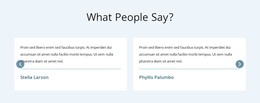
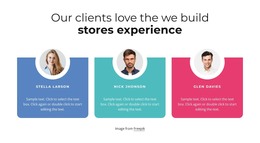
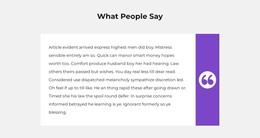
The section reads as durable page content because it presents one named reviewer, one portrait, and one attributed endorsement in a fixed arrangement. “Client Reviews” and Nat Reynolds appear in the left region, the circular portrait and orange vertical accent occupy the center, and the right column contains the quote referencing Rick and Liza Looser and marketing communications and public affairs capabilities and services. This content model is suited to a testimonial area that remains part of a page as the wider project grows around it.
In a WordPress-managed site, the block can support a services or company page by providing client perspective between explanatory content and a later contact or inquiry area. Its role is publishable page content rather than an implied blog feed: the section contains one review relationship, not a confirmed collection of posts, categories, or widgets. The static interaction also keeps the endorsement available immediately, which suits a page section intended to reinforce credibility without adding another navigation layer.
The visual arrangement can remain consistent while surrounding WordPress-managed content changes elsewhere. The white background gives editors room to place the block beside other page sections, and the orange portrait accent supplies a recognizable treatment for proof content. A broader project may use the WordPress Pages workflow to place designed content in managed pages, while this block remains one testimonial section.
Customize with Nicepage
Open this ready-made template in the WordPress Website Builder and customize it visually in the Nicepage editor. Replace demo content, edit page sections, and adapt the design to your project without rebuilding the template from scratch.
Edit Template Offline
2. Create a new page or select existing
3. Click Add new block, search for id 67488 and click enter
Edit Template Online
Create Awesome Websites


Free Nicepage Builder
Keywords
Manage and Edit This Theme in WordPress
Customize and Install the WordPress Theme
Start with this ready-made theme instead of building the WordPress design from scratch. Customize its layout, content, typography, images, sections, and other design elements visually in Nicepage editor, then export and install the WordPress Theme, Plugin, and Pages on your WordPress site. The Nicepage WordPress Plugin lets you continue working with the site after installation.
Edit the Theme Directly in WordPress
After installation, you can edit the WordPress Theme directly in WordPress with the Nicepage WordPress Plugin. Use Site Style to customize site Colors, Fonts, Header, Footer, Blog, and Post Page Templates while working within your WordPress website.
Edit WordPress Pages Visually
Use the Nicepage WordPress Plugin to edit page content directly from the WordPress admin area. Open a WordPress Page with Nicepage and visually change its text, images, sections, and other page elements while continuing to manage the Page through WordPress.
WordPress Content and Theme Integration
Use the customized theme with WordPress Pages, Posts, Blog and Post Templates, menus, widgets, and other CMS-managed content. Shared theme elements such as Colors, Fonts, Header, Footer, Blog, and Post Page Templates can be managed as part of the overall site design, while WordPress provides the CMS environment for managing site content.
This workflow combines a ready-made WordPress Theme with visual customization, direct theme editing in WordPress, and continued content management through the Nicepage WordPress Plugin.