What customers say WordPress Theme



The Portrait-Led Layout Gives WordPress Page Content a Human Focus
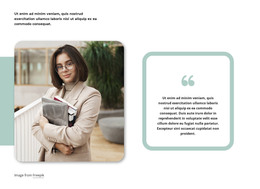
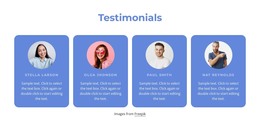
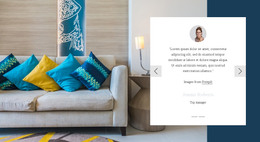
The block’s testimonial is organized around the relationship between a person and a concise endorsement. “What People Say” provides the left-side introduction, the centered tall portrait gives the section an immediate human presence, and the right-side quote explains the business-coaching perspective in words. The signature image below the quote reinforces the sense of an attributed statement without adding another content column. This stable three-area arrangement keeps the visual path moving from topic, to person, to supporting message.
For WordPress-managed page content, the block can serve as a permanent testimonial section on a services, about, or professional information page. Its content is focused enough to remain separate from frequently changing editorial material, while the quote’s references to entrepreneurs, business owners, and business goals give it a clear relationship to business coaching. The surrounding WordPress project can provide other page sections for detailed offerings, case studies, or contact information; this block contributes the personal endorsement alone. The white field and strong black type help preserve its identity when placed among other page content, and the static presentation keeps the message visible without requiring a carousel or other control.
Customize with Nicepage
Open this ready-made template in the WordPress Website Builder and customize it visually in the Nicepage editor. Replace demo content, edit page sections, and adapt the design to your project without rebuilding the template from scratch.
Edit Template Offline
2. Create a new page or select existing
3. Click Add new block, search for id 66439 and click enter
Edit Template Online
Create Awesome Websites


Free Nicepage Builder
Keywords
Manage and Edit This Theme in WordPress
Customize and Install the WordPress Theme
Start with this ready-made theme instead of building the WordPress design from scratch. Customize its layout, content, typography, images, sections, and other design elements visually in Nicepage editor, then export and install the WordPress Theme, Plugin, and Pages on your WordPress site. The Nicepage WordPress Plugin lets you continue working with the site after installation.
Edit the Theme Directly in WordPress
After installation, you can edit the WordPress Theme directly in WordPress with the Nicepage WordPress Plugin. Use Site Style to customize site Colors, Fonts, Header, Footer, Blog, and Post Page Templates while working within your WordPress website.
Edit WordPress Pages Visually
Use the Nicepage WordPress Plugin to edit page content directly from the WordPress admin area. Open a WordPress Page with Nicepage and visually change its text, images, sections, and other page elements while continuing to manage the Page through WordPress.
WordPress Content and Theme Integration
Use the customized theme with WordPress Pages, Posts, Blog and Post Templates, menus, widgets, and other CMS-managed content. Shared theme elements such as Colors, Fonts, Header, Footer, Blog, and Post Page Templates can be managed as part of the overall site design, while WordPress provides the CMS environment for managing site content.
This workflow combines a ready-made WordPress Theme with visual customization, direct theme editing in WordPress, and continued content management through the Nicepage WordPress Plugin.