Emergency Assistance WordPress Theme


Stable Program Content for a WordPress-Managed Page
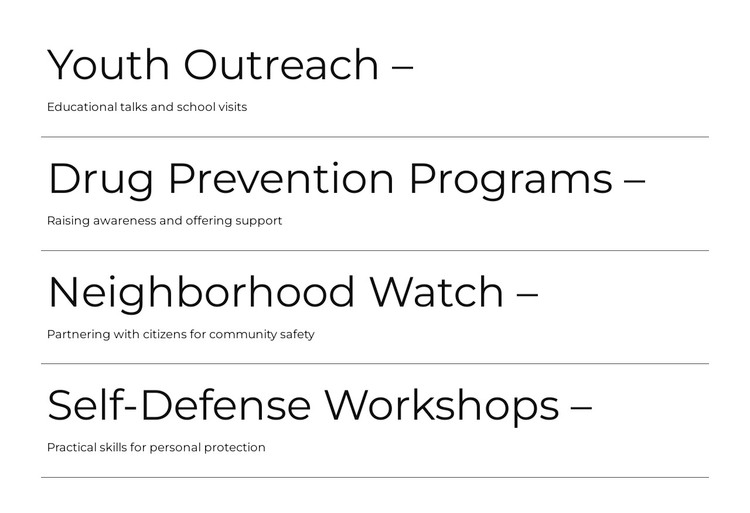
The block reads as stable page content because its four entries describe ongoing program areas rather than a time-based list. Youth Outreach, Drug Prevention Programs, Neighborhood Watch, and Self-Defense Workshops each occupy a consistent title-and-description unit. The repeated format supports a WordPress-oriented page where the section can remain visually steady while the surrounding project manages other pages or content areas.
The individual entries also give the page content a clear editorial structure. Youth Outreach is connected with educational talks and school visits, making its supporting text more specific than a generic service label. Neighborhood Watch describes partnering with citizens for community safety, while the separate prevention and self-defense entries preserve their own subject focus. This separation allows the section to communicate several related initiatives without treating them as one broad claim.
The presentation helps maintain that stability. Large thin titles create dependable scan points, smaller descriptions carry the explanation, and horizontal rules separate one program from the next. The white background, black typography, wide content area, and generous vertical spacing form a restrained visual pattern that can sit within a broader WordPress-managed page. The block contributes one reusable content region; other page sections can provide navigation, contact information, deeper program details, or additional community resources.
Customize with Nicepage
Open this ready-made template in the WordPress Website Builder and customize it visually in the Nicepage editor. Replace demo content, edit page sections, and adapt the design to your project without rebuilding the template from scratch.
Edit Template Offline
2. Create a new page or select existing
3. Click Add new block, search for id 6563713 and click enter
Edit Template Online
Create Awesome Websites


Free Nicepage Builder
Keywords
Manage and Edit This Theme in WordPress
Customize and Install the WordPress Theme
Start with this ready-made theme instead of building the WordPress design from scratch. Customize its layout, content, typography, images, sections, and other design elements visually in Nicepage editor, then export and install the WordPress Theme, Plugin, and Pages on your WordPress site. The Nicepage WordPress Plugin lets you continue working with the site after installation.
Edit the Theme Directly in WordPress
After installation, you can edit the WordPress Theme directly in WordPress with the Nicepage WordPress Plugin. Use Site Style to customize site Colors, Fonts, Header, Footer, Blog, and Post Page Templates while working within your WordPress website.
Edit WordPress Pages Visually
Use the Nicepage WordPress Plugin to edit page content directly from the WordPress admin area. Open a WordPress Page with Nicepage and visually change its text, images, sections, and other page elements while continuing to manage the Page through WordPress.
WordPress Content and Theme Integration
Use the customized theme with WordPress Pages, Posts, Blog and Post Templates, menus, widgets, and other CMS-managed content. Shared theme elements such as Colors, Fonts, Header, Footer, Blog, and Post Page Templates can be managed as part of the overall site design, while WordPress provides the CMS environment for managing site content.
This workflow combines a ready-made WordPress Theme with visual customization, direct theme editing in WordPress, and continued content management through the Nicepage WordPress Plugin.