
Get short stories WordPress Theme


Edit Template Offline
2. Create new page and search for id 6542728
Edit Template Online
Create Awesome Websites


Free Nicepage Builder
Keywords
Blog Access and Reader Signup Give the Author Theme a Clear Content Role
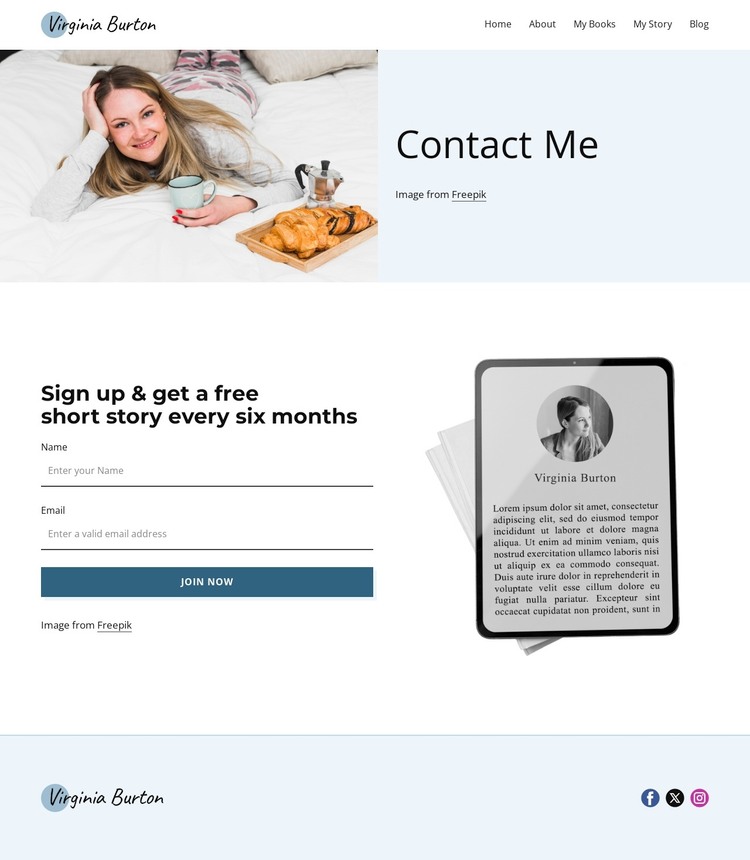
The Home, About, My Books, My Story, and Blog links create a useful page-oriented content framework for a WordPress-managed author site. They separate the writer’s background, published work, personal story, and ongoing writing from the Contact Me page itself. The verified Blog link is especially relevant because it establishes a route for regularly presented writing, without requiring the template to claim that posts or categories are already included. The same navigation can continue to connect permanent author pages with changing editorial content.
The Contact Me content supplies a complementary reader relationship. A large author image and attribution text establish personal context, then the invitation to receive a free short story every six months gives the name-and-email form a specific publishing purpose. The Join Now button marks the response point, while the reading illustration reinforces the connection between the form and the author’s work. In a WordPress theme implementation, these areas can distinguish stable page content from material that may be updated over time, while the pastel blue palette, charcoal typography, and teal-blue action treatment keep both types visually coordinated. The footer’s Facebook, Twitter, and Instagram links add shared site destinations without taking attention away from the subscription message. This makes the design suitable for an author project that combines enduring profile and book information with reader-facing editorial updates.
Customize with Nicepage
Open this ready-made template in the WordPress Website Builder and customize it visually in the Nicepage editor. Replace demo content, edit page sections, and adapt the design to your project without rebuilding the template from scratch.
Manage and Edit This Theme in WordPress
Customize and Install the WordPress Theme
Start with this ready-made theme instead of building the WordPress design from scratch. Customize its layout, content, typography, images, sections, and other design elements visually in Nicepage editor, then export and install the WordPress Theme, Plugin, and Pages on your WordPress site. The Nicepage WordPress Plugin lets you continue working with the site after installation.
Edit the Theme Directly in WordPress
After installation, you can edit the WordPress Theme directly in WordPress with the Nicepage WordPress Plugin. Use Site Style to customize site Colors, Fonts, Header, Footer, Blog, and Post Page Templates while working within your WordPress website.
Edit WordPress Pages Visually
Use the Nicepage WordPress Plugin to edit page content directly from the WordPress admin area. Open a WordPress Page with Nicepage and visually change its text, images, sections, and other page elements while continuing to manage the Page through WordPress.
WordPress Content and Theme Integration
Use the customized theme with WordPress Pages, Posts, Blog and Post Templates, menus, widgets, and other CMS-managed content. Shared theme elements such as Colors, Fonts, Header, Footer, Blog, and Post Page Templates can be managed as part of the overall site design, while WordPress provides the CMS environment for managing site content.
This workflow combines a ready-made WordPress Theme with visual customization, direct theme editing in WordPress, and continued content management through the Nicepage WordPress Plugin.





















