Smarter Biochemical Engineering WordPress Theme


Research-Focused Copy With Separated Counter Content
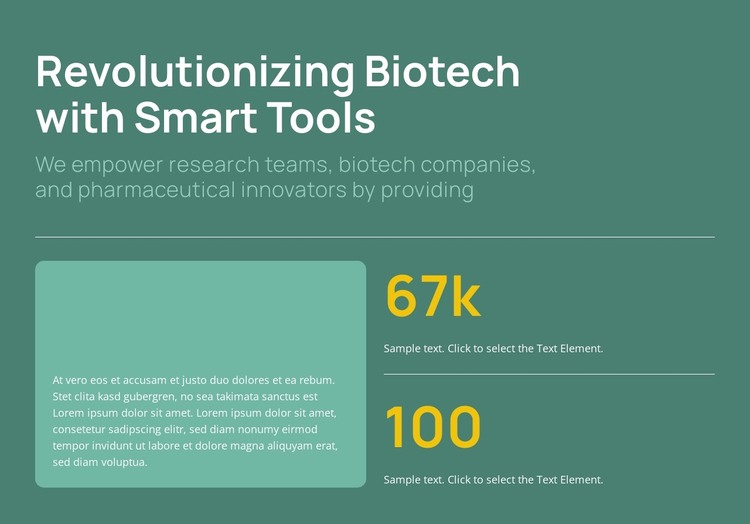
The introductory heading and supporting copy make this block read as stable informational content rather than a time-sensitive editorial feed. “Revolutionizing Biotech with Smart Tools” frames the section, while the reference to research teams, biotech companies, and pharmaceutical innovators identifies the intended subject area. A horizontal divider then creates a visible boundary before the explanatory card and metrics begin.
Within a WordPress-managed page, this arrangement can serve as a reusable biotechnology or pharmaceutical content section. The rounded text card keeps the descriptive material in one contained region, while the right-hand column organizes two counter items vertically. The sample display uses 67k and 100, but those values and their labels should be adapted to the actual information maintained by the site. The second horizontal divider gives the two metric positions visual separation, making them easier to scan independently instead of presenting them as a single dense statistic.
The block’s deep muted teal field supports pale mint copy and bright yellow values, so the content can remain visually distinct while fitting into a wider page design. Its structure is suitable for permanent page content that introduces research-oriented work or summarizes selected figures. Other WordPress-managed content can surround this section, while this block retains its focused relationship between context, explanatory text, and counters.
Customize with Nicepage
Open this ready-made template in the WordPress Website Builder and customize it visually in the Nicepage editor. Replace demo content, edit page sections, and adapt the design to your project without rebuilding the template from scratch.
Edit Template Offline
2. Create a new page or select existing
3. Click Add new block, search for id 6528244 and click enter
Edit Template Online
Create Awesome Websites


Free Nicepage Builder
Keywords
Manage and Edit This Theme in WordPress
Customize and Install the WordPress Theme
Start with this ready-made theme instead of building the WordPress design from scratch. Customize its layout, content, typography, images, sections, and other design elements visually in Nicepage editor, then export and install the WordPress Theme, Plugin, and Pages on your WordPress site. The Nicepage WordPress Plugin lets you continue working with the site after installation.
Edit the Theme Directly in WordPress
After installation, you can edit the WordPress Theme directly in WordPress with the Nicepage WordPress Plugin. Use Site Style to customize site Colors, Fonts, Header, Footer, Blog, and Post Page Templates while working within your WordPress website.
Edit WordPress Pages Visually
Use the Nicepage WordPress Plugin to edit page content directly from the WordPress admin area. Open a WordPress Page with Nicepage and visually change its text, images, sections, and other page elements while continuing to manage the Page through WordPress.
WordPress Content and Theme Integration
Use the customized theme with WordPress Pages, Posts, Blog and Post Templates, menus, widgets, and other CMS-managed content. Shared theme elements such as Colors, Fonts, Header, Footer, Blog, and Post Page Templates can be managed as part of the overall site design, while WordPress provides the CMS environment for managing site content.
This workflow combines a ready-made WordPress Theme with visual customization, direct theme editing in WordPress, and continued content management through the Nicepage WordPress Plugin.