Business transformation WordPress Theme


A Split Services Area for Stable WordPress Page Content
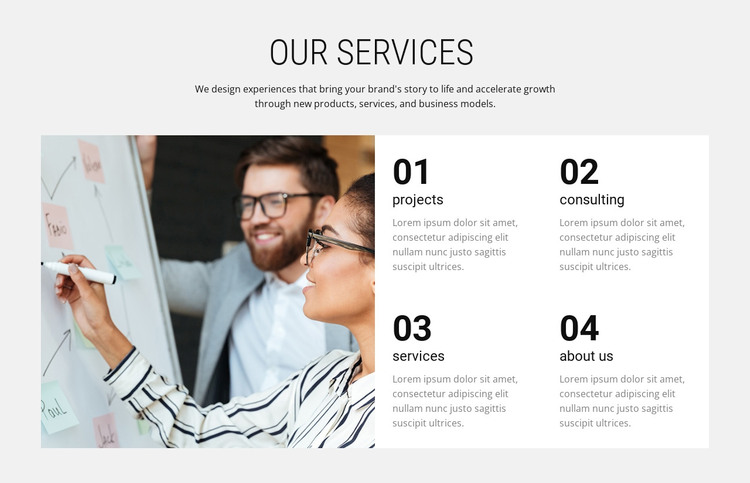
The large workshop photograph gives the section an immediate collaborative context, while the “Our Services” heading and supporting paragraph explain what the adjacent service categories are intended to communicate. The copy refers to bringing a brand’s story to life and accelerating growth through new products, services, and business models, so the block reads as an overview of capabilities rather than a single detailed service description.
Four numbered cards—projects, consulting, services, and about us—divide that overview into recognizable content units. The cards sit on the right in two columns and two rows, allowing visitors to compare the categories without moving through a long vertical list. Their white surfaces contrast with the light gray section background, and the bold numerals create a repeated visual cue that helps distinguish one item from the next. The photograph remains separate on the left, giving the information area a strong image-to-content relationship.
Within a WordPress-managed page, the section can serve as stable services content that remains visually consistent while the wider site develops other pages and publishing areas around it. The repeated card format is suitable for maintaining separate descriptions for each category, and the placeholder text can be replaced with editorial content specific to the project. The block therefore contributes a focused services region without taking on the scope of the broader WordPress site or theme.
Customize with Nicepage
Open this ready-made template in the WordPress Website Builder and customize it visually in the Nicepage editor. Replace demo content, edit page sections, and adapt the design to your project without rebuilding the template from scratch.
Edit Template Offline
2. Create a new page or select existing
3. Click Add new block, search for id 64318 and click enter
Edit Template Online
Create Awesome Websites


Free Nicepage Builder
Keywords
Manage and Edit This Theme in WordPress
Customize and Install the WordPress Theme
Start with this ready-made theme instead of building the WordPress design from scratch. Customize its layout, content, typography, images, sections, and other design elements visually in Nicepage editor, then export and install the WordPress Theme, Plugin, and Pages on your WordPress site. The Nicepage WordPress Plugin lets you continue working with the site after installation.
Edit the Theme Directly in WordPress
After installation, you can edit the WordPress Theme directly in WordPress with the Nicepage WordPress Plugin. Use Site Style to customize site Colors, Fonts, Header, Footer, Blog, and Post Page Templates while working within your WordPress website.
Edit WordPress Pages Visually
Use the Nicepage WordPress Plugin to edit page content directly from the WordPress admin area. Open a WordPress Page with Nicepage and visually change its text, images, sections, and other page elements while continuing to manage the Page through WordPress.
WordPress Content and Theme Integration
Use the customized theme with WordPress Pages, Posts, Blog and Post Templates, menus, widgets, and other CMS-managed content. Shared theme elements such as Colors, Fonts, Header, Footer, Blog, and Post Page Templates can be managed as part of the overall site design, while WordPress provides the CMS environment for managing site content.
This workflow combines a ready-made WordPress Theme with visual customization, direct theme editing in WordPress, and continued content management through the Nicepage WordPress Plugin.