Photography Redefined WordPress Theme


Four Stable Feature Items Fit Page-Oriented Content
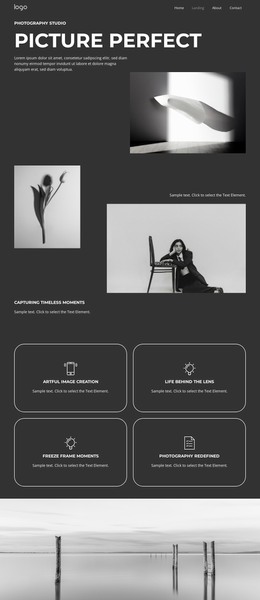
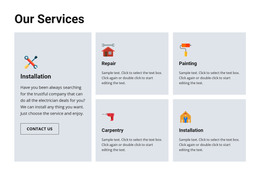
The four cards provide a compact area for stable page content: each one names a photography-related feature and reserves space for a short explanation. Artful Image Creation, Life Behind the Lens, Freeze Frame Moments, and Photography Redefined are arranged in two columns and two rows, making the group suitable for a services or features section within a broader WordPress-managed page. The repeated icon-title-text pattern keeps the items comparable without requiring them to become separate page types.
The block's visual structure supports that content role. A dark charcoal background creates one shared section field, while white typography and thin rounded outlines distinguish the four cards. Centered minimal line icons sit above the uppercase titles, helping readers scan the categories before reading the supporting text. Because the cards use the same proportions and spacing, the section can preserve a stable visual pattern even when its placeholder copy is replaced with final photography descriptions.
In a WordPress-oriented project, this block can remain a reusable page-content region while the surrounding site manages additional pages and publishable material. The section does not need to be treated as a complete WordPress Theme; its contribution is more specific. It gives one page a structured feature area that can sit alongside portfolios, contact content, galleries, or other sections, with the dark card treatment available as a visual reference for related page content.
Customize with Nicepage
Open this ready-made template in the WordPress Website Builder and customize it visually in the Nicepage editor. Replace demo content, edit page sections, and adapt the design to your project without rebuilding the template from scratch.
Edit Template Offline
2. Create a new page or select existing
3. Click Add new block, search for id 6351813 and click enter
Edit Template Online
Create Awesome Websites


Free Nicepage Builder
Keywords
Manage and Edit This Theme in WordPress
Customize and Install the WordPress Theme
Start with this ready-made theme instead of building the WordPress design from scratch. Customize its layout, content, typography, images, sections, and other design elements visually in Nicepage editor, then export and install the WordPress Theme, Plugin, and Pages on your WordPress site. The Nicepage WordPress Plugin lets you continue working with the site after installation.
Edit the Theme Directly in WordPress
After installation, you can edit the WordPress Theme directly in WordPress with the Nicepage WordPress Plugin. Use Site Style to customize site Colors, Fonts, Header, Footer, Blog, and Post Page Templates while working within your WordPress website.
Edit WordPress Pages Visually
Use the Nicepage WordPress Plugin to edit page content directly from the WordPress admin area. Open a WordPress Page with Nicepage and visually change its text, images, sections, and other page elements while continuing to manage the Page through WordPress.
WordPress Content and Theme Integration
Use the customized theme with WordPress Pages, Posts, Blog and Post Templates, menus, widgets, and other CMS-managed content. Shared theme elements such as Colors, Fonts, Header, Footer, Blog, and Post Page Templates can be managed as part of the overall site design, while WordPress provides the CMS environment for managing site content.
This workflow combines a ready-made WordPress Theme with visual customization, direct theme editing in WordPress, and continued content management through the Nicepage WordPress Plugin.