Great for take-aways WordPress Theme



A Contact-Focused Content Section for WordPress Pages
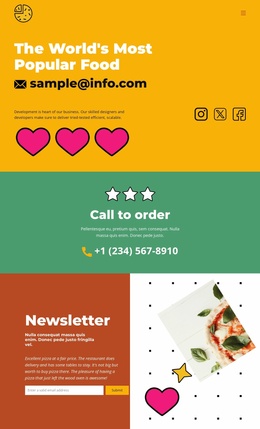
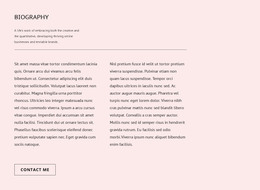
The heading and button give this block the character of stable page content rather than a stream of dated editorial entries. A three-star graphic sits above the message as a decorative cue, while the centered black typography makes the invitation to try popular food items the dominant element. The green rectangular contact button then turns that invitation into a clear route toward further contact, all within the bright golden-yellow section background.
In a WordPress-managed site, this block can occupy a permanent promotional area on a page concerned with food items, dining information, or a related service presentation. It remains one section within the wider theme and page structure, not a complete WordPress Theme. Other content can provide the detailed items, business information, imagery, and surrounding page flow, while this block supplies a concise prompt after that information has been introduced.
The block’s simple hierarchy also makes its page role easy to preserve when content is managed around it. The decorative stars attract attention without competing with the heading, and the generous vertical spacing separates the message from the contact action. That relationship can help a WordPress page maintain a clear transition from interest in popular items to an intentional contact step, while keeping the section visually distinct from more detailed content areas.
Customize with Nicepage
Open this ready-made template in the WordPress Website Builder and customize it visually in the Nicepage editor. Replace demo content, edit page sections, and adapt the design to your project without rebuilding the template from scratch.
Edit Template Offline
2. Create a new page or select existing
3. Click Add new block, search for id 6196085 and click enter
Edit Template Online
Create Awesome Websites


Free Nicepage Builder
Keywords
Manage and Edit This Theme in WordPress
Customize and Install the WordPress Theme
Start with this ready-made theme instead of building the WordPress design from scratch. Customize its layout, content, typography, images, sections, and other design elements visually in Nicepage editor, then export and install the WordPress Theme, Plugin, and Pages on your WordPress site. The Nicepage WordPress Plugin lets you continue working with the site after installation.
Edit the Theme Directly in WordPress
After installation, you can edit the WordPress Theme directly in WordPress with the Nicepage WordPress Plugin. Use Site Style to customize site Colors, Fonts, Header, Footer, Blog, and Post Page Templates while working within your WordPress website.
Edit WordPress Pages Visually
Use the Nicepage WordPress Plugin to edit page content directly from the WordPress admin area. Open a WordPress Page with Nicepage and visually change its text, images, sections, and other page elements while continuing to manage the Page through WordPress.
WordPress Content and Theme Integration
Use the customized theme with WordPress Pages, Posts, Blog and Post Templates, menus, widgets, and other CMS-managed content. Shared theme elements such as Colors, Fonts, Header, Footer, Blog, and Post Page Templates can be managed as part of the overall site design, while WordPress provides the CMS environment for managing site content.
This workflow combines a ready-made WordPress Theme with visual customization, direct theme editing in WordPress, and continued content management through the Nicepage WordPress Plugin.