Fashion innovation agency WordPress Theme



Portrait-Led Profiles Keep Team Content Easy to Recognize
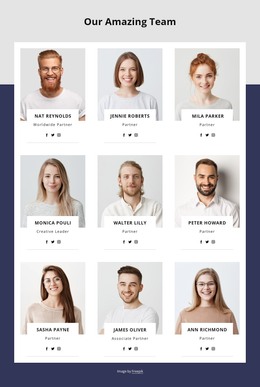
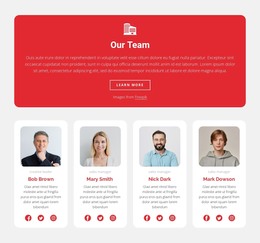
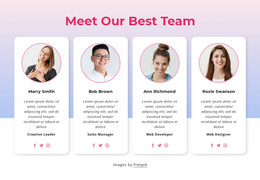
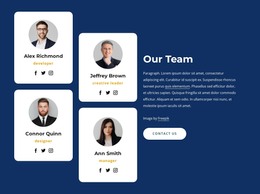
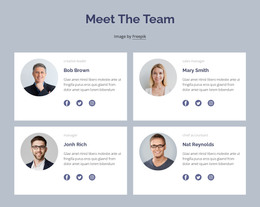
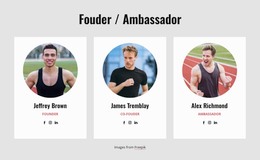
Each of the four columns packages a person’s identity into a repeatable content unit: portrait imagery establishes recognition, the centered name and role provide the essential description, and the Facebook, Twitter, and Instagram icons offer a consistent social-link area. That arrangement suits stable people-focused page content in a WordPress-managed project, where a team section can sit alongside other page regions without being mistaken for the whole theme or site.
The content distinction is reinforced by the visual order. Three profiles carry the displayed role of designer and one carries the role of manager, while the alternating portrait positions prevent the row from reading as four identical stacks. Large editorial photographs draw attention first; the restrained black-and-white text panels then provide the identifying details with generous spacing. This makes the section suitable for a services, studio, or agency page that needs a recognizable team area before visitors move to other content. The repeated social-link groups also keep each profile connected to its own identity rather than blending the people into one collective card. Within WordPress-managed page content, that separation supports a clear, reusable presentation of individual team members.
Customize with Nicepage
Open this ready-made template in the WordPress Website Builder and customize it visually in the Nicepage editor. Replace demo content, edit page sections, and adapt the design to your project without rebuilding the template from scratch.
Edit Template Offline
2. Create a new page or select existing
3. Click Add new block, search for id 57272 and click enter
Edit Template Online
Create Awesome Websites


Free Nicepage Builder
Keywords
Manage and Edit This Theme in WordPress
Customize and Install the WordPress Theme
Start with this ready-made theme instead of building the WordPress design from scratch. Customize its layout, content, typography, images, sections, and other design elements visually in Nicepage editor, then export and install the WordPress Theme, Plugin, and Pages on your WordPress site. The Nicepage WordPress Plugin lets you continue working with the site after installation.
Edit the Theme Directly in WordPress
After installation, you can edit the WordPress Theme directly in WordPress with the Nicepage WordPress Plugin. Use Site Style to customize site Colors, Fonts, Header, Footer, Blog, and Post Page Templates while working within your WordPress website.
Edit WordPress Pages Visually
Use the Nicepage WordPress Plugin to edit page content directly from the WordPress admin area. Open a WordPress Page with Nicepage and visually change its text, images, sections, and other page elements while continuing to manage the Page through WordPress.
WordPress Content and Theme Integration
Use the customized theme with WordPress Pages, Posts, Blog and Post Templates, menus, widgets, and other CMS-managed content. Shared theme elements such as Colors, Fonts, Header, Footer, Blog, and Post Page Templates can be managed as part of the overall site design, while WordPress provides the CMS environment for managing site content.
This workflow combines a ready-made WordPress Theme with visual customization, direct theme editing in WordPress, and continued content management through the Nicepage WordPress Plugin.