Digital product prototyping WordPress Theme


Six Stable Content Units for a WordPress-Managed Page
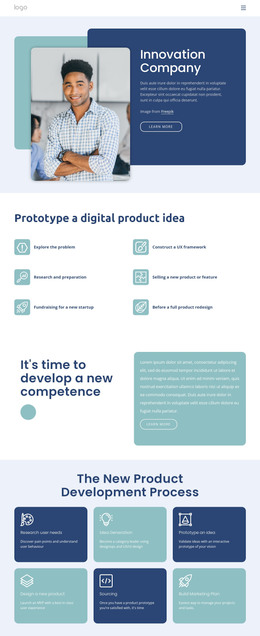
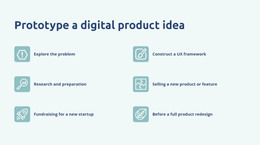
The heading “Prototype a digital product idea” gives this section a clear page-content role, while the six repeated items turn the broader subject into separate informational units. “Explore the problem,” “Construct a UX framework,” and “Research and preparation” describe discovery and planning concerns. The remaining labels—selling a new product or feature, fundraising for a new startup, and before a full product redesign—show how the same section can cover different points in a product-design offering without expanding into long explanations.
The two-column arrangement keeps the six units balanced and easy to scan, making the block suitable for a stable services or features area in a WordPress-managed page. Rounded-square icons establish a repeated visual cue for each label, while the pale blue-green background, dark navy typography, and muted teal accents give the content a defined presentation that can sit within a wider theme. In this context, the block functions as publishable page content: it communicates one organized subject while other CMS-managed areas can handle additional pages, articles, or supporting information. The section remains focused on its six prototyping activities rather than becoming the theme or structure of the entire WordPress site.
Customize with Nicepage
Open this ready-made template in the WordPress Website Builder and customize it visually in the Nicepage editor. Replace demo content, edit page sections, and adapt the design to your project without rebuilding the template from scratch.
Edit Template Offline
2. Create a new page or select existing
3. Click Add new block, search for id 533057 and click enter
Edit Template Online
Create Awesome Websites


Free Nicepage Builder
Keywords
Use This Block in a WordPress-Managed Website
Keep the Block as Page Content
Use the block as one content/layout section inside a WordPress-oriented site rather than treating the Block ID as a complete WordPress Theme. Its verified text, images, repeated items, forms, galleries, or other elements can remain part of permanent page content while WordPress manages the wider site.
Work With Nicepage and WordPress
A Nicepage WordPress project can be installed using the WordPress Theme, Plugin, and Pages workflow. After installation, the same visual section can participate in WordPress-managed pages as part of the broader theme/site structure.
Continue Editing in WordPress
Nicepage supports editing the WordPress Theme directly in WordPress. Use WordPress Pages, Posts, Blog structures, and other CMS concepts only when they are relevant to the surrounding project; their existence must not be inferred from the analyzed block alone.
This workflow keeps the block's verified section function separate from the WordPress theme architecture while allowing it to participate in a CMS-managed website.