Four important steps WordPress Theme


A Two-Column Introduction for Stable WordPress Page Content
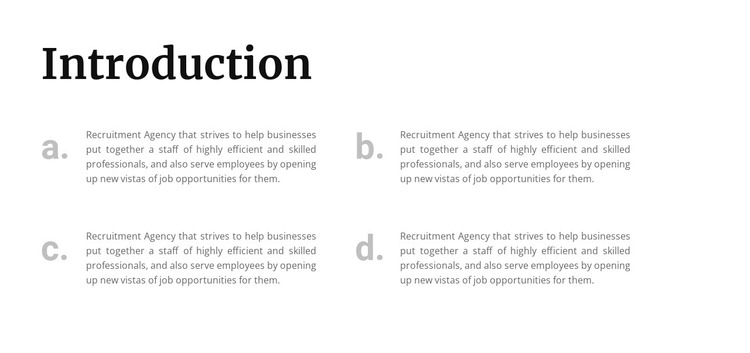
The block’s four lettered paragraphs are well suited to permanent informational content because each item explains a separate aspect of recruitment-agency activity. The “Introduction” heading frames the subject, and the a., b., c., and d. markers create a simple progression through the supporting points. Together, these elements make the section more like a focused content area than a collection of unrelated text fragments.
The two-column grid is central to how the information is presented. Two rows distribute the four items across the available width, giving the section a measured rhythm and keeping each paragraph visually connected to its marker. The large dark serif heading establishes hierarchy above the grid, while light gray copy and muted letter markers provide a softer secondary level. White space around and between the items keeps the recruitment explanations separate without adding unnecessary controls or interaction.
In a WordPress-oriented project, the block can function as a stable section on a services, company-information, or recruitment-related page while other CMS-managed content develops around it. The block does not need to carry the whole page: neighboring sections can provide deeper details, job opportunities, or contact content. Its consistent four-item pattern is valuable when editors need to update wording while preserving a recognizable introduction structure and a balanced two-column presentation.
Customize with Nicepage
Open this ready-made template in the WordPress Website Builder and customize it visually in the Nicepage editor. Replace demo content, edit page sections, and adapt the design to your project without rebuilding the template from scratch.
Edit Template Offline
2. Create a new page or select existing
3. Click Add new block, search for id 512875 and click enter
Edit Template Online
Create Awesome Websites


Free Nicepage Builder
Keywords
Manage and Edit This Theme in WordPress
Customize and Install the WordPress Theme
Start with this ready-made theme instead of building the WordPress design from scratch. Customize its layout, content, typography, images, sections, and other design elements visually in Nicepage editor, then export and install the WordPress Theme, Plugin, and Pages on your WordPress site. The Nicepage WordPress Plugin lets you continue working with the site after installation.
Edit the Theme Directly in WordPress
After installation, you can edit the WordPress Theme directly in WordPress with the Nicepage WordPress Plugin. Use Site Style to customize site Colors, Fonts, Header, Footer, Blog, and Post Page Templates while working within your WordPress website.
Edit WordPress Pages Visually
Use the Nicepage WordPress Plugin to edit page content directly from the WordPress admin area. Open a WordPress Page with Nicepage and visually change its text, images, sections, and other page elements while continuing to manage the Page through WordPress.
WordPress Content and Theme Integration
Use the customized theme with WordPress Pages, Posts, Blog and Post Templates, menus, widgets, and other CMS-managed content. Shared theme elements such as Colors, Fonts, Header, Footer, Blog, and Post Page Templates can be managed as part of the overall site design, while WordPress provides the CMS environment for managing site content.
This workflow combines a ready-made WordPress Theme with visual customization, direct theme editing in WordPress, and continued content management through the Nicepage WordPress Plugin.