Features with colored icons WordPress Theme


Icon-Led Capability Content for a WordPress-Managed Page
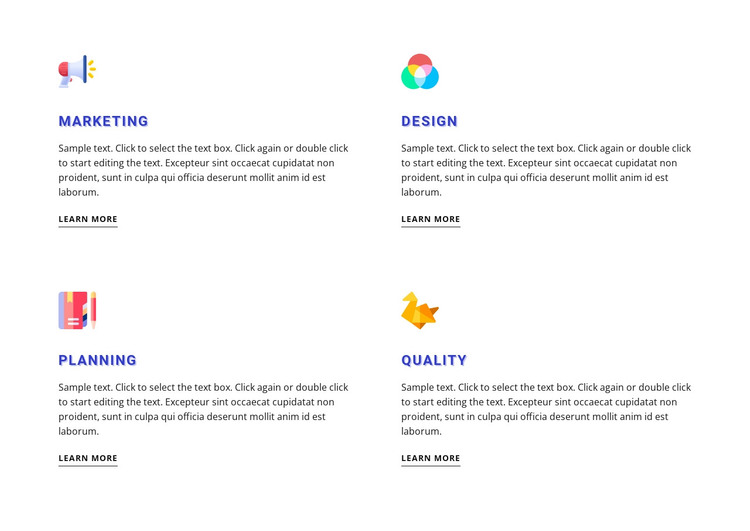
The section's strongest content model is its four-part capability summary. Marketing, Design, Planning, and Quality each receive the same visual space: a colorful icon signals the category, a blue uppercase heading names it, a paragraph provides explanation, and a Learn more link suggests a related destination. This consistency helps the items behave as stable page content instead of a changing feed or editorial post list.
In a WordPress-managed project, the block can fit naturally within a services or capabilities page while the wider theme handles other content areas. Its two-column, two-row structure gives the page a compact overview of four categories, leaving room for more detailed sections elsewhere. The white background and generous spacing create clear boundaries between items, and the underlined links give every category the same outward-facing path without making one item visually dominant.
The visible descriptions repeat sample instructional and filler copy, so they should be replaced with the site's actual service explanations before publication. That does not alter the block's page-content role: the section still provides four clearly labeled, icon-supported content units. With static interaction, visitors can scan all categories immediately, making the layout suitable for permanent WordPress page content rather than requiring a carousel, filter, or expandable control.
Customize with Nicepage
Open this ready-made template in the WordPress Website Builder and customize it visually in the Nicepage editor. Replace demo content, edit page sections, and adapt the design to your project without rebuilding the template from scratch.
Edit Template Offline
2. Create a new page or select existing
3. Click Add new block, search for id 487389 and click enter
Edit Template Online
Create Awesome Websites


Free Nicepage Builder
Keywords
Manage and Edit This Theme in WordPress
Customize and Install the WordPress Theme
Start with this ready-made theme instead of building the WordPress design from scratch. Customize its layout, content, typography, images, sections, and other design elements visually in Nicepage editor, then export and install the WordPress Theme, Plugin, and Pages on your WordPress site. The Nicepage WordPress Plugin lets you continue working with the site after installation.
Edit the Theme Directly in WordPress
After installation, you can edit the WordPress Theme directly in WordPress with the Nicepage WordPress Plugin. Use Site Style to customize site Colors, Fonts, Header, Footer, Blog, and Post Page Templates while working within your WordPress website.
Edit WordPress Pages Visually
Use the Nicepage WordPress Plugin to edit page content directly from the WordPress admin area. Open a WordPress Page with Nicepage and visually change its text, images, sections, and other page elements while continuing to manage the Page through WordPress.
WordPress Content and Theme Integration
Use the customized theme with WordPress Pages, Posts, Blog and Post Templates, menus, widgets, and other CMS-managed content. Shared theme elements such as Colors, Fonts, Header, Footer, Blog, and Post Page Templates can be managed as part of the overall site design, while WordPress provides the CMS environment for managing site content.
This workflow combines a ready-made WordPress Theme with visual customization, direct theme editing in WordPress, and continued content management through the Nicepage WordPress Plugin.